1. MOV copies a value; it does not calculate it
Think of MOV as “copy this value into that device when the condition is true.”
In GX Works3 and MELSEC-style ladder programming, MOV is commonly used to transfer data. A source value, such as a constant or the value stored in a data register, is copied into a destination device.
The most important beginner point is this: MOV does not move the original value away. It copies the source value to the destination. The destination is overwritten with the copied value when the instruction executes.
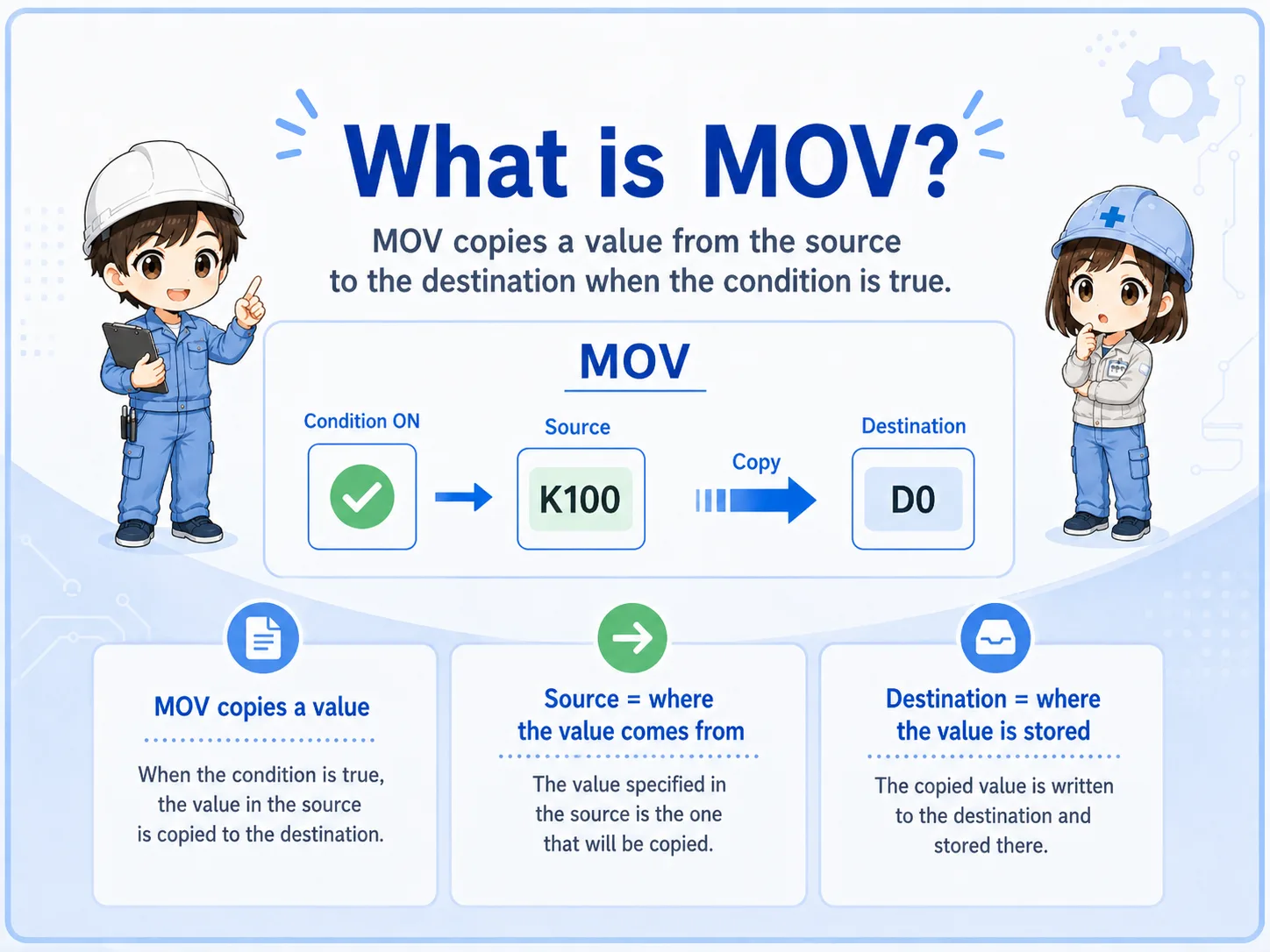

When you see MOV, first ask two questions: where does the value come from, and where is it being written?

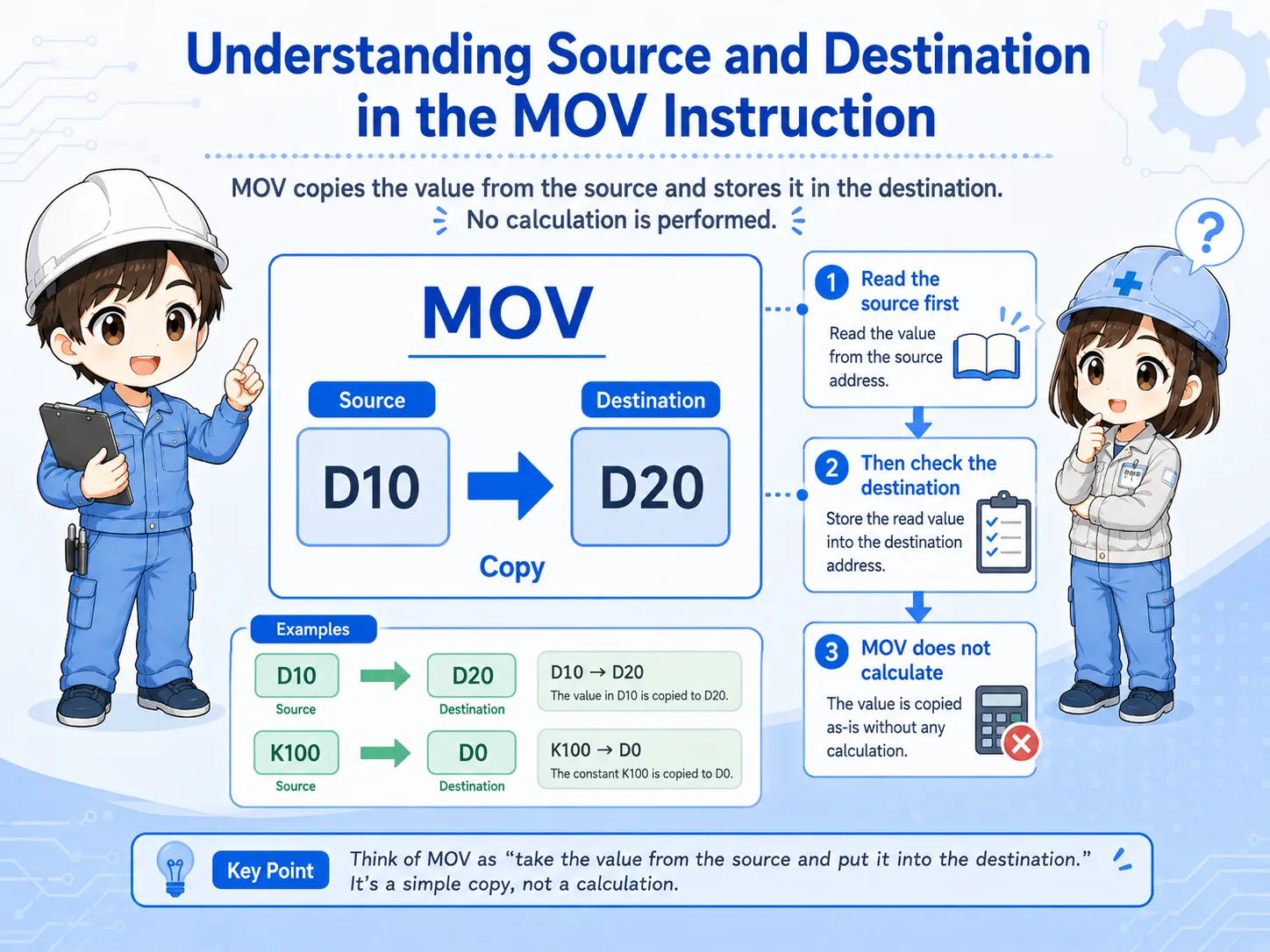
So I should not read it as a calculation. It is more like copying a value into a register.
2. Read source and destination separately
Most MOV mistakes come from mixing up the source side and the destination side.
A MOV instruction has a value source and a destination. The source may be a constant, a data register, or another device depending on the PLC series and instruction rules. The destination is the device that receives the copied value.
For field reading, avoid memorizing only the symbol. Read the instruction as a sentence: copy this source value into this destination when this condition is true.
| Part | How to read it | Beginner check |
|---|---|---|
| Execution condition | The contact or logic condition that allows MOV to execute. | If the condition is false, the destination may not update. |
| Source | The value that will be copied. | Check whether it is a constant, register value, or another device. |
| Destination | The device that receives the copied value. | Remember that this value can be overwritten. |
3. MOV executes while the condition is true
If the condition stays true, the destination can be written repeatedly during PLC scans.
In ladder logic, an instruction is evaluated as part of the PLC scan. When the execution condition for MOV is true, the source value is written to the destination. If the condition remains true, this may happen repeatedly depending on the program structure and PLC behavior.
This matters in troubleshooting because another rung may write to the same destination later, or the destination may appear to “change back” unexpectedly. Before assuming that MOV is wrong, check whether another instruction also writes to the same device.
Condition true?
Check whether the contact or logic before MOV is actually true.
Source value?
Confirm the value being copied before blaming the destination.
Destination overwritten?
Search for other rungs or instructions that write to the same device.
Scan timing?
Consider whether the instruction is writing every scan or only at a transition.
Model-specific details must be checked in manuals
Device ranges, instruction availability, data sizes, and detailed execution behavior depend on the PLC series and project settings. Confirm the official Mitsubishi Electric manuals for the actual system.
4. MOVP and DMOV: similar idea, different use cases
MOVP and DMOV are easier to understand after you understand normal MOV.
Normal MOV is the basic copy operation. MOVP is commonly used when you want the transfer to occur at a pulse or transition instead of repeatedly while the condition remains true. DMOV is used for double-word data handling where the data size is larger than a single word.
For a beginner, the safest approach is not to memorize all variants at once. First confirm what normal MOV is doing, then check whether the program requires pulse execution or larger data size.
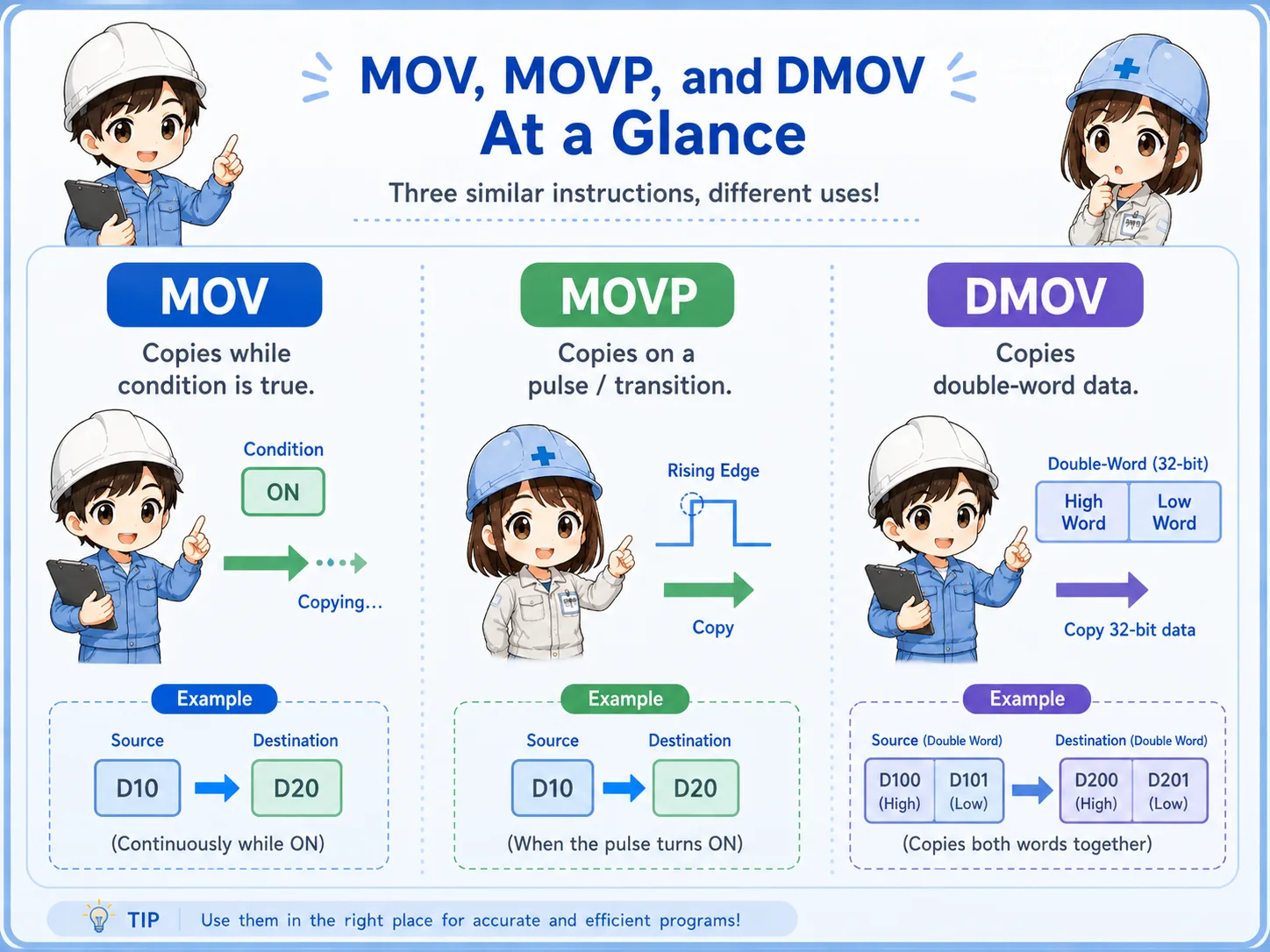
Do not replace MOV with MOVP by guesswork
Changing execution timing can change machine behavior. Always check the intended operation, existing program comments, and official instruction documentation before editing.
5. Common mistakes when reading MOV
Most MOV problems are not the instruction itself, but the condition, source value, destination, or later overwrite.
- Mixing up the source and destination devices.
- Assuming MOV changes the source value instead of copying it.
- Forgetting that the destination is overwritten when MOV executes.
- Checking the destination value without checking whether the execution condition is true.
- Missing another rung that writes to the same destination later in the scan.
- Using MOVP or DMOV without confirming why pulse execution or double-word data is needed.
Be careful when editing live machine programs
MOV may affect setpoints, display values, counters, timers, alarm thresholds, or communication data. Do not change a destination device or instruction variant without checking the machine documentation and site procedure.
6. Field check flow
A steady check order is condition → source → destination → overwrite → data size.
When a value does not change as expected, start by checking whether the MOV rung is actually true. Then confirm the source value, destination device, and whether another instruction overwrites the destination. If the program uses MOVP or DMOV, confirm the intended timing and data size.
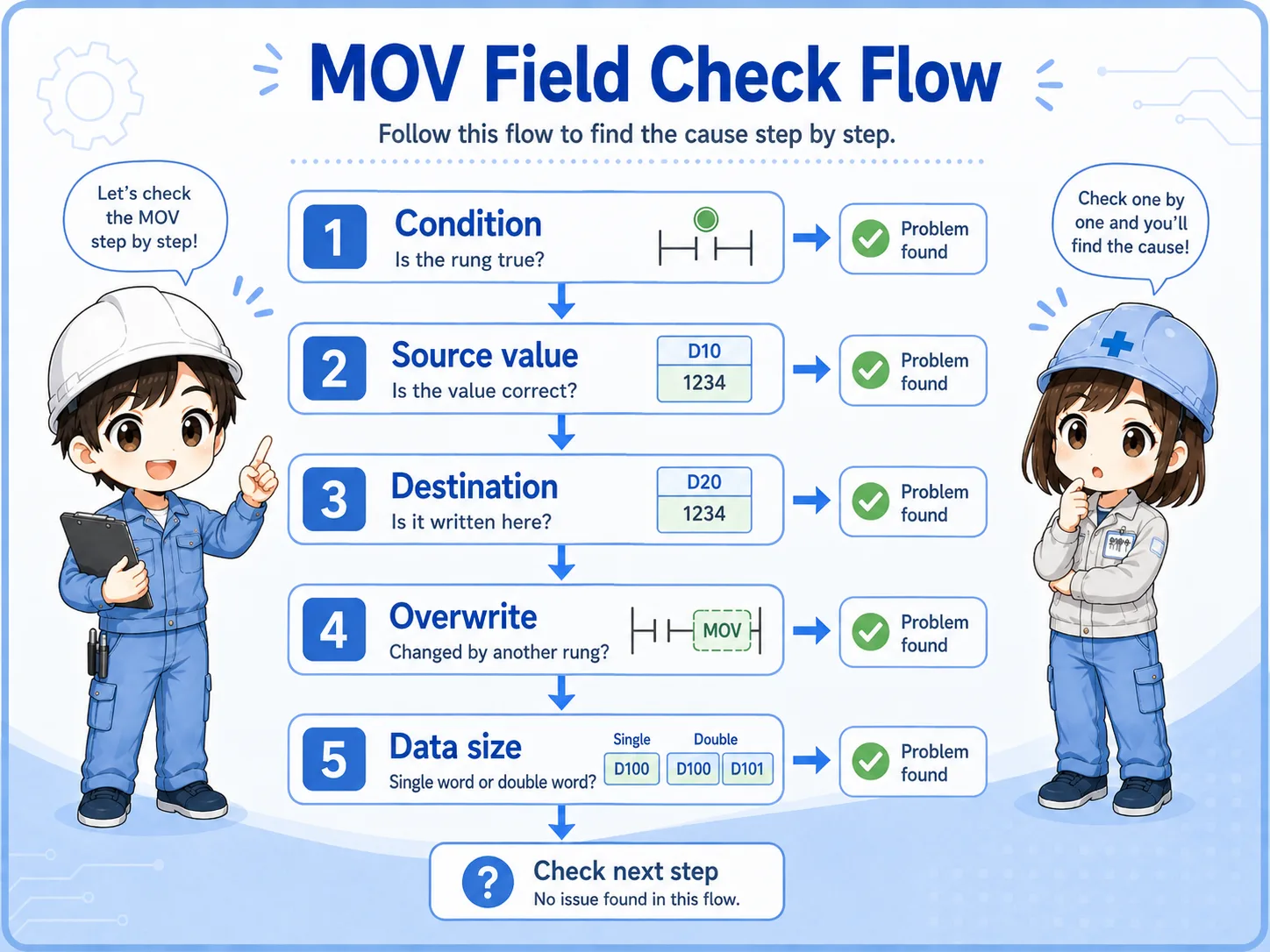
1. Check condition
Is the rung condition true at the moment you expect the copy?
2. Check values
Compare the source value and destination value in the monitor.
3. Check overwrite
Search for other writes to the same destination device.
7. Quick summary
MOV is a basic instruction, but it becomes powerful when you understand the data path.
Read MOV as a copy operation. Confirm the execution condition, source value, and destination device. Then check whether the destination is being overwritten somewhere else. For variants such as MOVP or DMOV, confirm the intended timing and data size using official manuals and the actual machine documentation.
Remember this
If you get lost, say the rung in plain English: “When this condition is true, copy this value into this destination.”
Related articles
These English articles are useful before and after learning the MOV instruction.