What is an alternating operation circuit?
It is a circuit where each button press alternates the output between ON and OFF.
In an alternating operation circuit, the same push button can be used to change the output state. The first press turns the output ON. The next press turns it OFF.
This is different from a press-and-hold circuit because the output does not simply follow the button. It remembers the current state and changes it when a new press is detected.
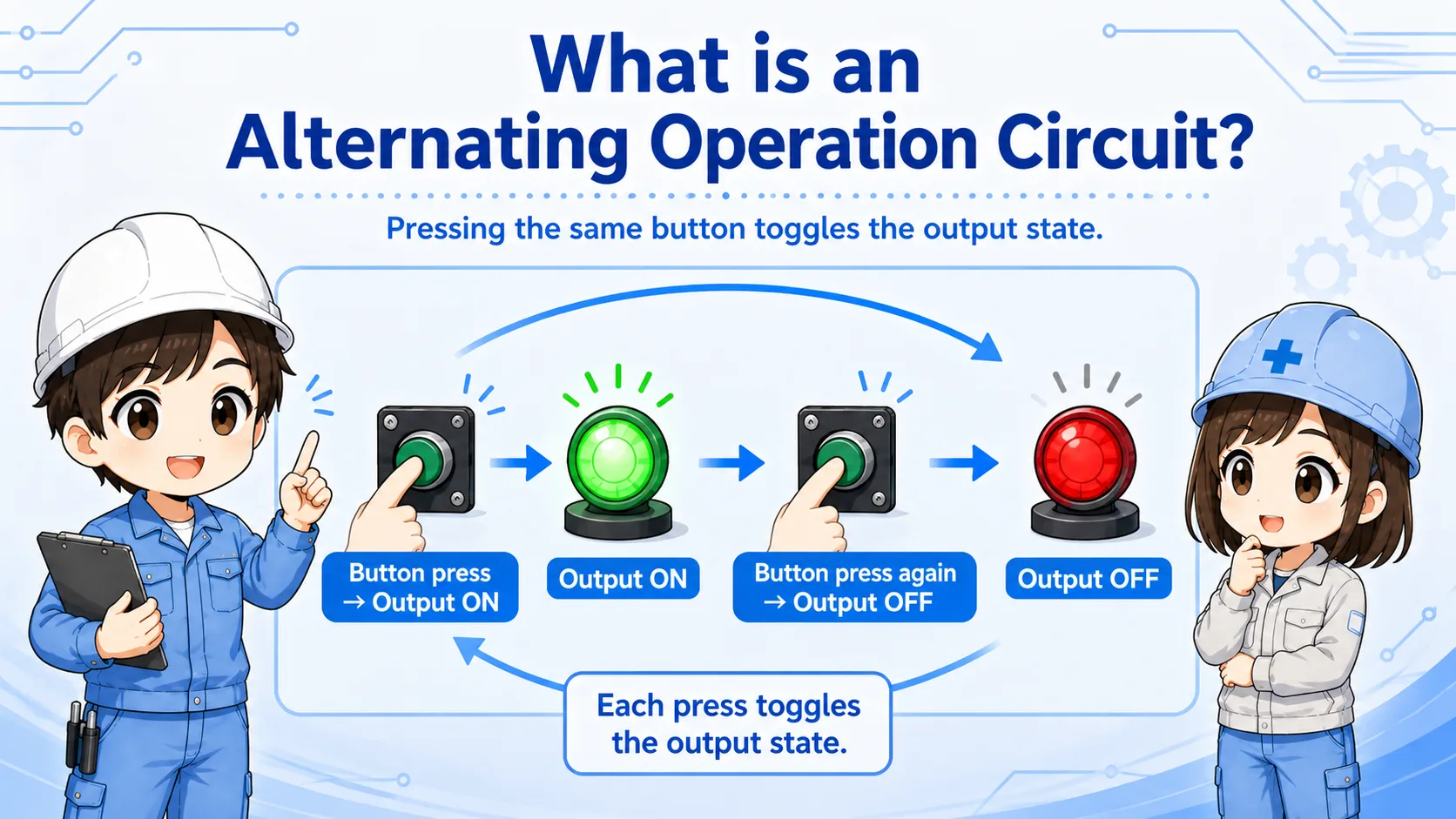

Think of this as a toggle circuit. It does not just look at whether the button is currently ON. It uses the button press as a trigger to change the stored state.

So I should watch not only the button input, but also the internal flag or memory bit that remembers ON or OFF.
Toggle flow: press once ON, press again OFF
The basic idea is simple, but the PLC must detect one button press as one switching action.
When the output is OFF, a valid button press changes the state to ON. When the output is already ON, the next valid button press changes the state to OFF.
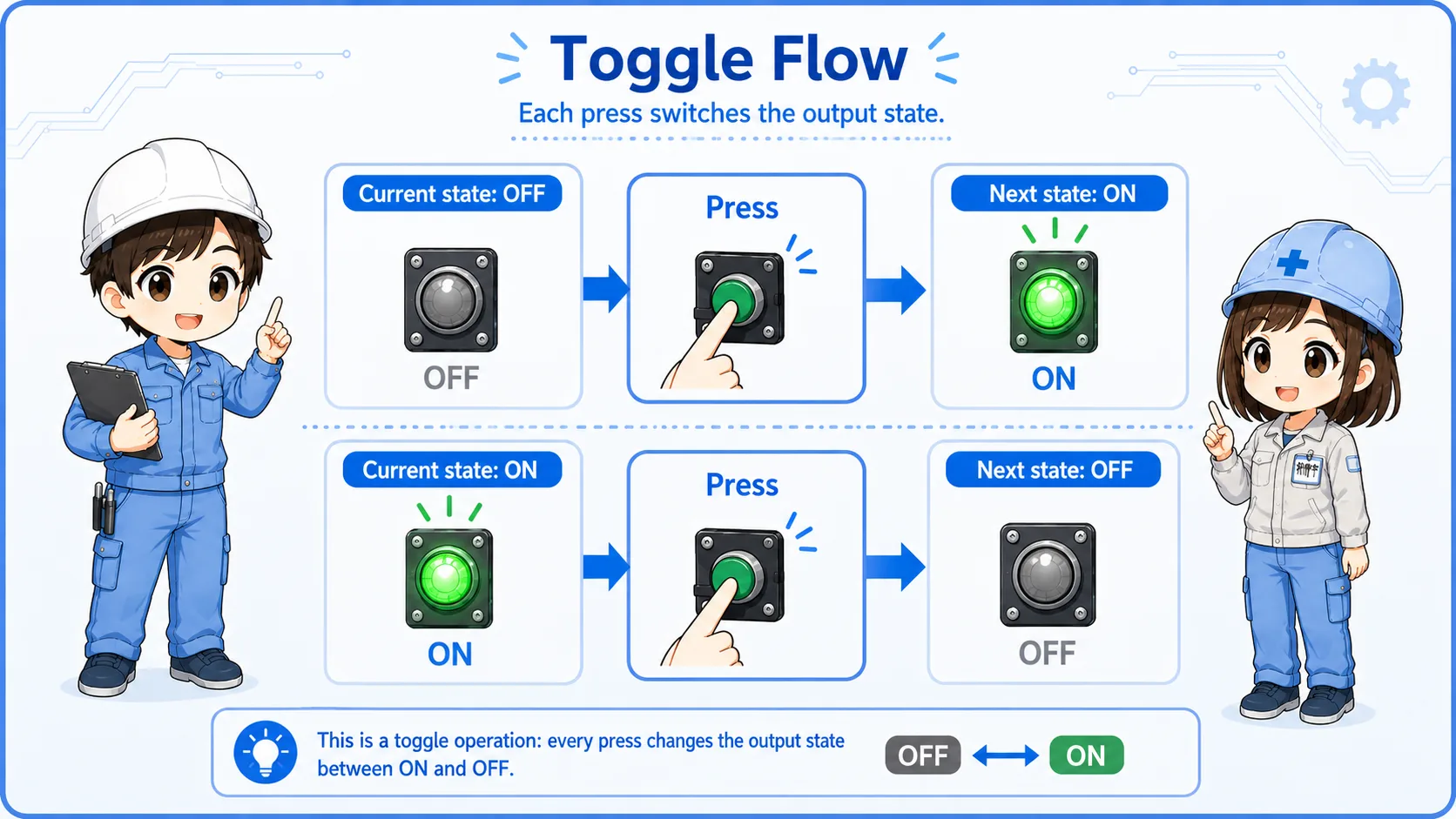
| Current state | Button action | Next state | Field image |
|---|---|---|---|
| Output OFF | Button is pressed once. | Output ON | The lamp, relay, or operation turns ON. |
| Output ON | Button is pressed once again. | Output OFF | The lamp, relay, or operation turns OFF. |
Beginner takeaway
The circuit needs a remembered state. That is why an internal relay, memory bit, or flag is often used.
Basic ladder logic idea
Many toggle circuits use an edge signal and an internal flag to avoid repeated switching during one long press.
A common beginner mistake is to use the push button input directly as the switching condition. If the PLC scans many times while the button is held, the state may switch repeatedly.
To prevent that, the logic usually detects the moment the button changes from OFF to ON. This is often called rising-edge detection, one-shot processing, or pulse generation.
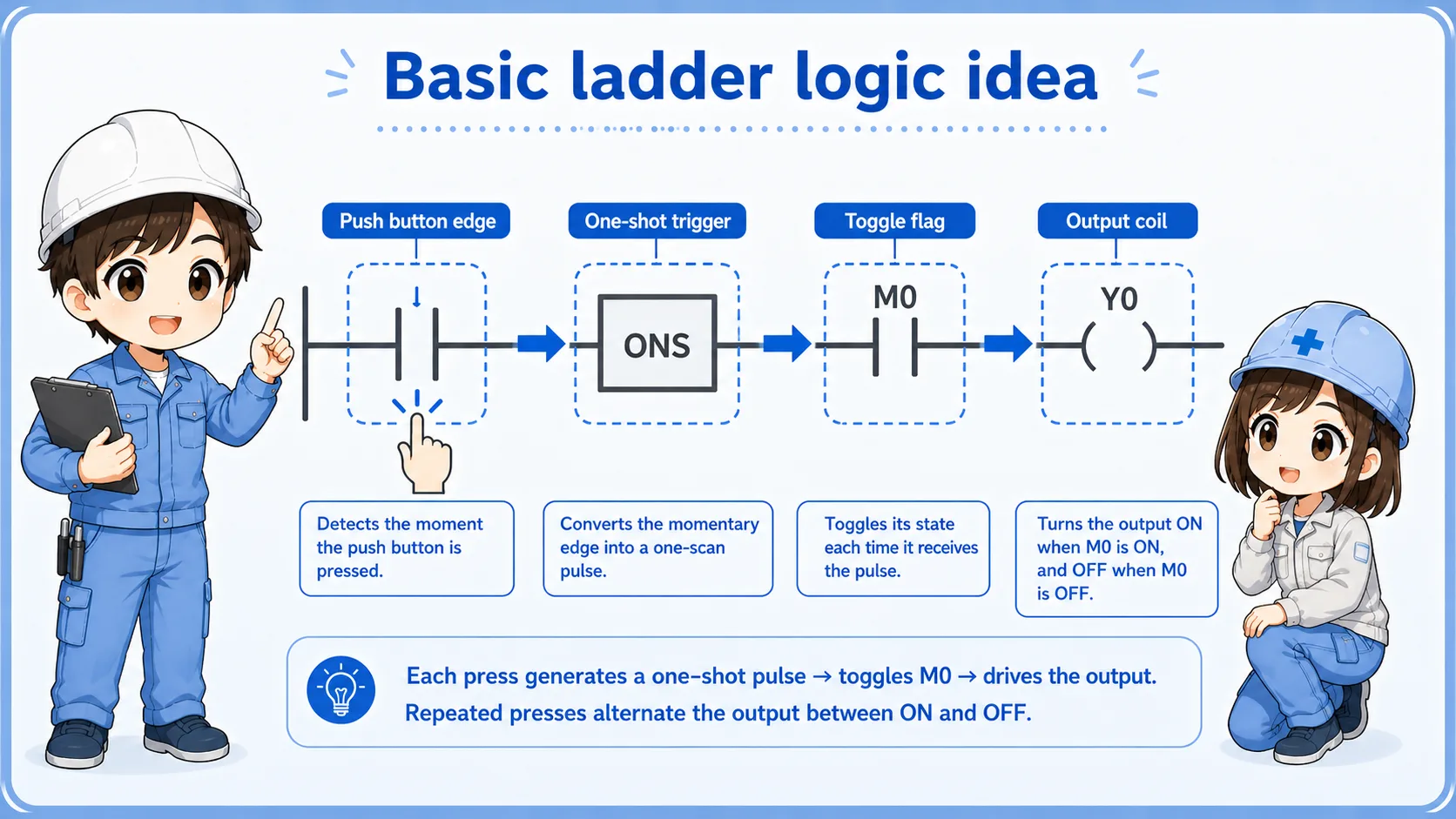
Instruction names differ by PLC
Different PLC brands use different instruction names for edge detection, pulses, set/reset, or alternation. Always check the actual PLC manual and project rule.
Difference from press-and-hold and self-holding circuits
The same push button can behave very differently depending on the circuit pattern.
| Circuit type | What happens | Key difference |
|---|---|---|
| Press-and-hold | Output is ON only while the button is pressed. | No memory state is needed. |
| Self-holding | Output turns ON and stays ON until a stop condition turns it OFF. | Start and stop conditions are usually separated. |
| Alternating operation | The same button alternates ON and OFF with each valid press. | A toggle flag or remembered state is used. |
Watch the operating behavior
If one button turns the output ON and the next press turns it OFF, you are probably looking at a toggle-style alternating operation circuit.
Field checks when toggle operation does not work
Check the button input, edge trigger, toggle flag, output coil, and any interlocks in order.
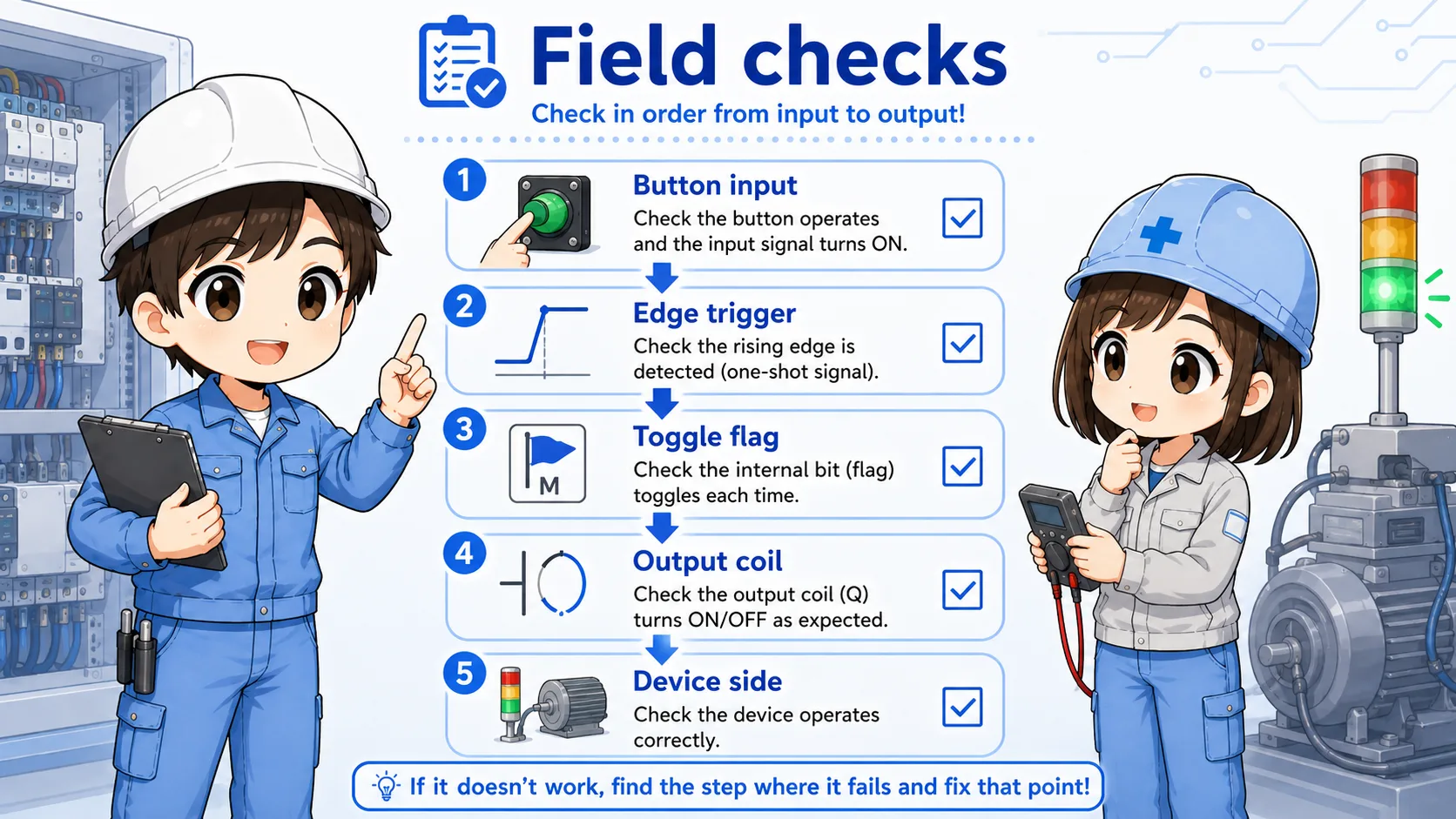
1. Button input
Press the button and confirm the PLC input monitor turns ON correctly.
2. Edge trigger
Confirm the logic creates only one trigger for one button press.
3. Toggle flag
Watch the internal memory bit or flag that stores the ON/OFF state.
4. Output coil
Check whether the final output coil follows the stored state correctly.
5. Interlocks
Stop, alarm, permission, or safety conditions may block the final output.
6. Device side
Check relay, lamp, solenoid, motor starter, wiring, and power supply.
Summary
An alternating operation circuit toggles the output state every time the button is pressed. Press once to turn ON, press again to turn OFF.
The important point is that the circuit must detect one button press as one action. In PLC ladder logic, this often means using edge detection, a one-shot signal, and an internal flag.
Final takeaway
Do not read this circuit as simple ON/OFF input logic. Read it as a state-changing circuit: button press → switch the stored state → output follows that state.
Related articles
Read these next to connect alternating operation with basic button circuits and PLC logic.