What is a press-and-hold circuit?
It is a basic circuit where the output follows the input while the button is being pressed.
In a press-and-hold circuit, the output is ON only while the push button input is ON. When the operator releases the button, the input turns OFF and the output also turns OFF.
This is one of the easiest ladder logic patterns to understand because it does not use memory, latch, or self-holding contacts.
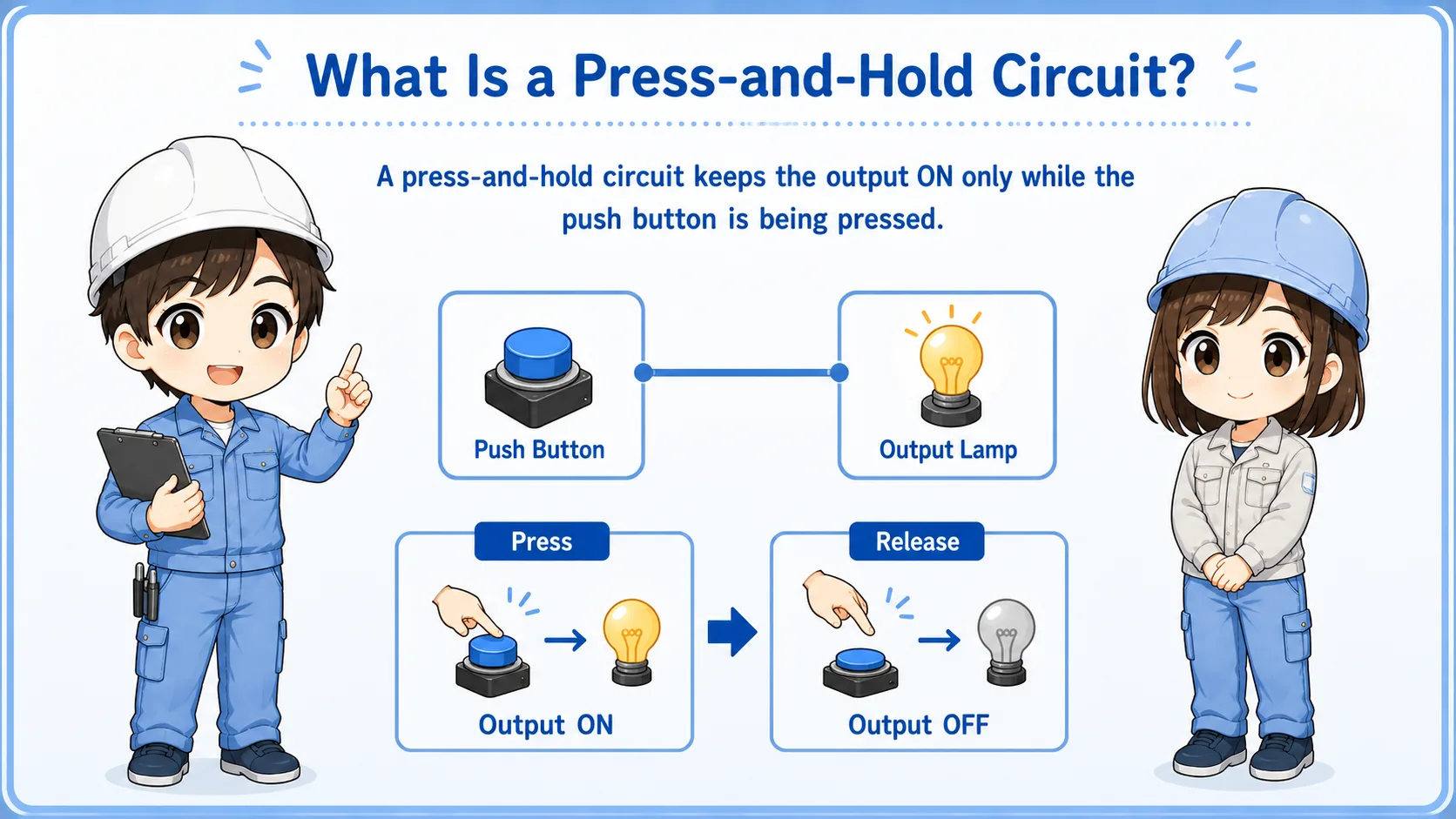

This circuit is the basic idea of “input ON equals output ON”. It is useful before learning self-holding or one-shot logic.

So if the output stays ON after I release the button, it is probably not this simple press-and-hold circuit.
Basic ladder flow
The ladder is simple: a normally open input contact drives one output coil.
In the simplest form, the ladder rung has a push button input contact on the left and an output coil on the right. When the input condition is true, the output coil turns ON.
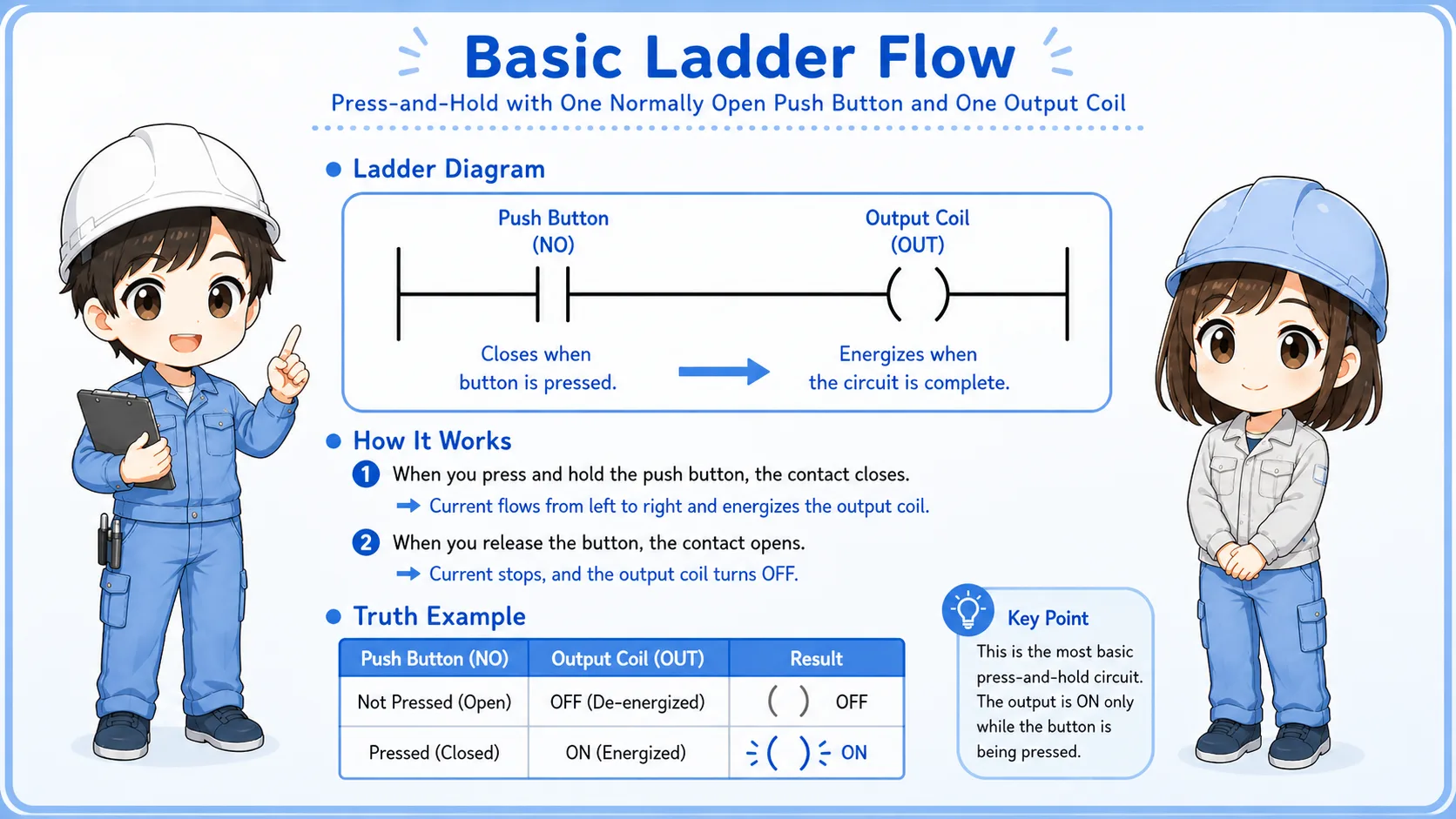
| Button input | Ladder condition | Output result | Field image |
|---|---|---|---|
| Pressed | Input contact is ON. | Output coil turns ON. | The device moves or lamp turns ON only while pressing. |
| Released | Input contact is OFF. | Output coil turns OFF. | The device stops or lamp turns OFF immediately. |
Beginner takeaway
If the input is not ON in the PLC monitor, the output should not turn ON in this basic circuit. Start by checking the input status.
Difference from self-holding and one-shot circuits
This circuit has no memory and no pulse-only behavior.
A press-and-hold circuit is often confused with self-holding and one-shot circuits. They may all use a push button, but the behavior is different.
| Circuit type | What happens | Key difference |
|---|---|---|
| Press-and-hold | Output is ON only while the button is pressed. | No memory contact is used. |
| Self-holding | Output stays ON after the start button is released. | A holding contact or latch condition keeps the output ON. |
| One-shot | Output turns ON for only one scan or one short pulse. | It reacts to the edge of the input, not the whole pressing time. |
Watch the actual behavior
If the output remains ON after the button is released, look for a holding contact, latch instruction, set/reset logic, or another condition keeping it ON.
Field checks when the output does not turn ON
Check the input, PLC monitor, output, wiring, and device side in order.
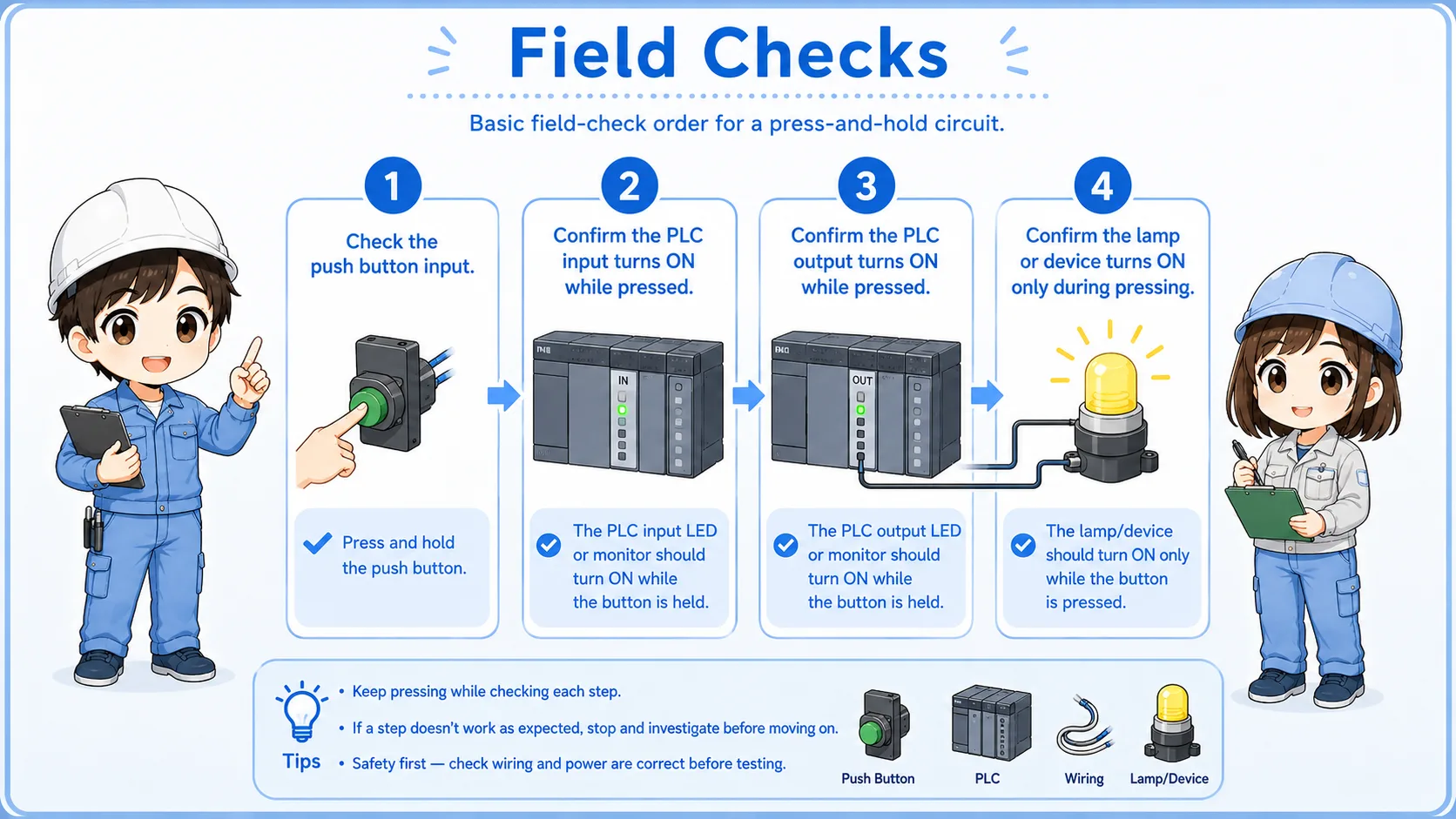
1. Button input
Press the button and confirm the PLC input monitor turns ON.
2. Ladder condition
Check whether the rung condition becomes true while the button is pressed.
3. Output monitor
Confirm whether the output coil turns ON in the PLC monitor.
4. Output wiring
Check terminal looseness, relay wiring, power supply, and common wiring.
5. Device side
Check the lamp, relay, solenoid, motor starter, or actual load connected to the output.
6. Interlocks
Confirm there are no stop, safety, alarm, or permission conditions blocking operation.
Common mistakes
Many beginner mistakes come from expecting the output to stay ON.
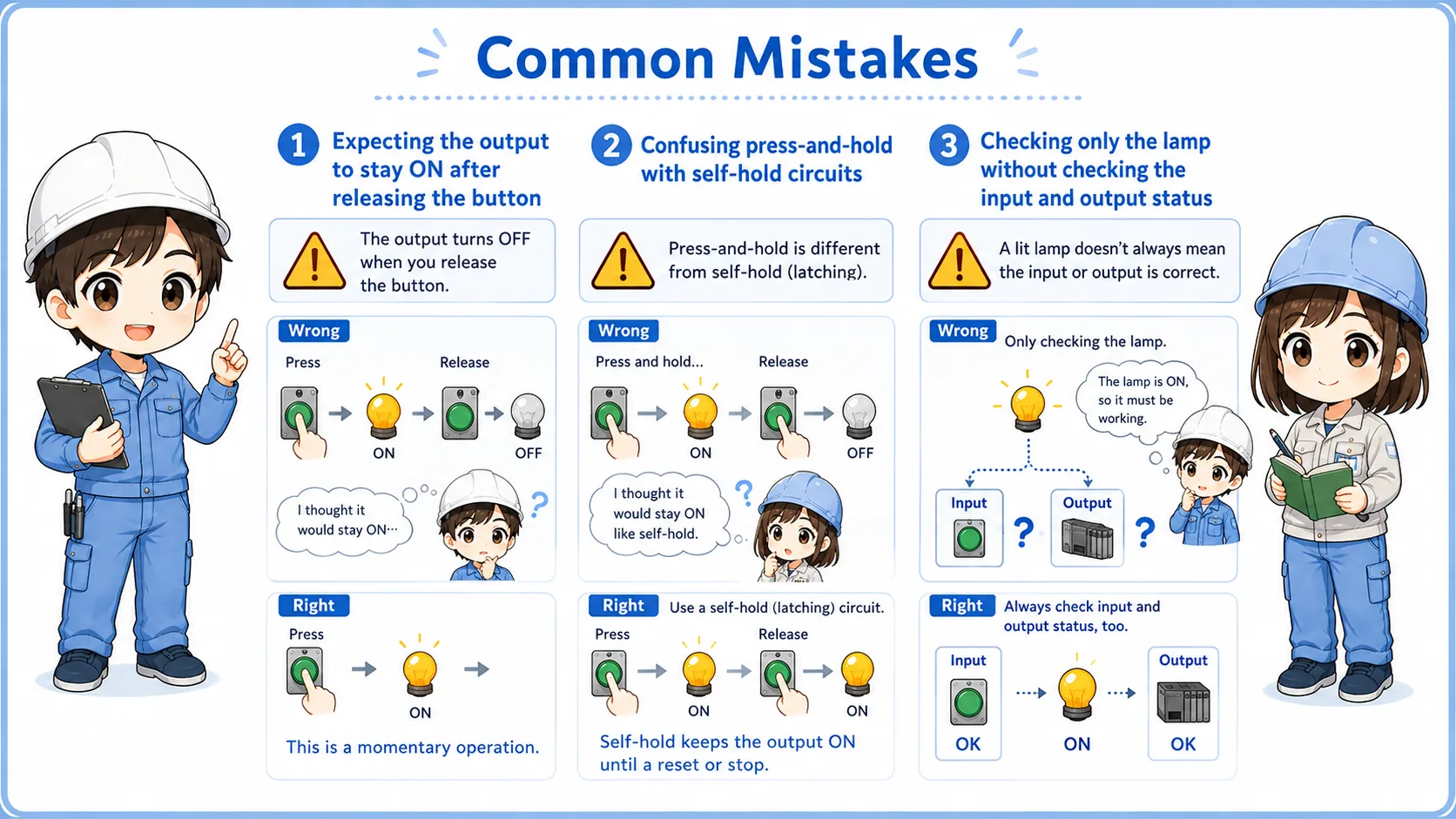
Expecting memory behavior
A press-and-hold circuit does not keep the output ON after the button is released.
Checking only the output
Always check whether the PLC input turns ON first.
Ignoring common wiring
Input and output common wiring can stop the signal even when the button or load is normal.
Missing interlocks
Even a simple rung may be combined with stop, alarm, or permission conditions in real machines.
Do not bypass safety circuits
If the circuit involves safety doors, emergency stops, two-hand operation, or hazardous motion, do not simplify it as a basic press-and-hold circuit. Follow the machine documentation and site rules.
Summary
A press-and-hold circuit turns the output ON only while the input button is pressed. It is a basic ladder pattern where the output follows the input state.
It is different from a self-holding circuit because it does not keep the output ON. It is also different from a one-shot circuit because it stays ON for the entire time the input is ON.
Final takeaway
Think of this circuit as “button ON = output ON, button OFF = output OFF”. That simple idea helps you read many beginner ladder circuits more calmly.
Related articles
Read these next to connect press-and-hold operation with PLC basics and motor control devices.