1. OUT, SET, and RST have different roles
The simplest split is: OUT follows the condition, SET keeps the state, and RST clears it.
In GX Works3 ladder programs, OUT, SET, and RST often appear on the coil side of a rung. They may look similar at first, but they do not behave the same way.
OUT is tied to the current condition. SET is used to remember a state. RST is used to clear that remembered state.
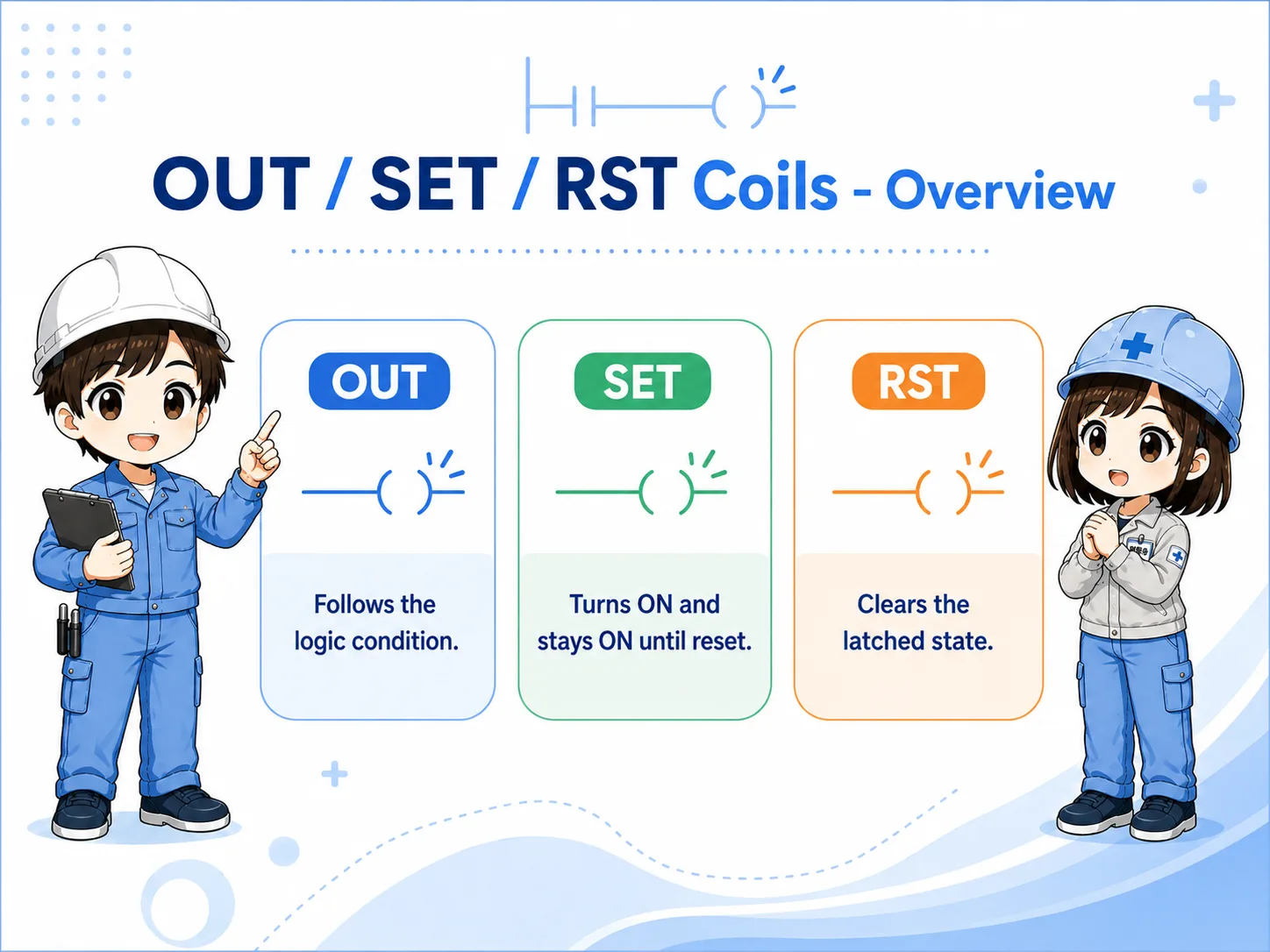
2. Quick conclusion: start with OUT, use SET/RST only when you need memory
For beginner-friendly ladder design, OUT is the easiest behavior to trace.
When the output should be ON only while the rung condition is true, use the OUT-style idea. When the program must remember that an event happened, use SET and RST as a pair.

Try to make the basic logic readable with OUT first. Use SET/RST only where the machine needs to remember a state.

If I use SET, I should immediately ask: where is the RST?
3. OUT: ON only while the condition is true
OUT is condition-following behavior.
An OUT coil turns the target device ON while the rung condition is true. When the condition becomes false, the target device turns OFF, unless another part of the program affects it.
Field reading point
For OUT, check the left-side condition first. If the condition is OFF, the OUT coil should normally be OFF too.
4. SET: latch a device ON
SET is used when the program must remember that a condition happened.
SET turns the target device ON when its condition is true. After that, the device may stay ON even when the original trigger condition is no longer true.
This is useful for alarm memory, step memory, mode memory, and other cases where a state must remain active until a reset action occurs.
Design habit
Do not add SET by itself. Always decide where and when the corresponding RST should happen.
5. RST: clear the latched state
RST is the counterpart of SET.
RST clears the target device. In many beginner troubleshooting cases, the problem is not that SET failed. The problem is that the RST condition is missing, always blocked, or triggered at the wrong timing.
Common failure pattern
A device was SET by an old condition, but there is no clear reset path. The machine looks “stuck” because the latched state remains ON.
6. How to choose OUT, SET, and RST
Choose based on whether you need momentary condition-following behavior or state memory.
| Instruction idea | Use when | Beginner caution |
|---|---|---|
| OUT | The output should follow the current condition. | Check the rung condition directly. |
| SET | A short event should remain stored as a state. | Do not forget the reset design. |
| RST | The stored state should be cleared. | Check that reset timing is not too early or too late. |
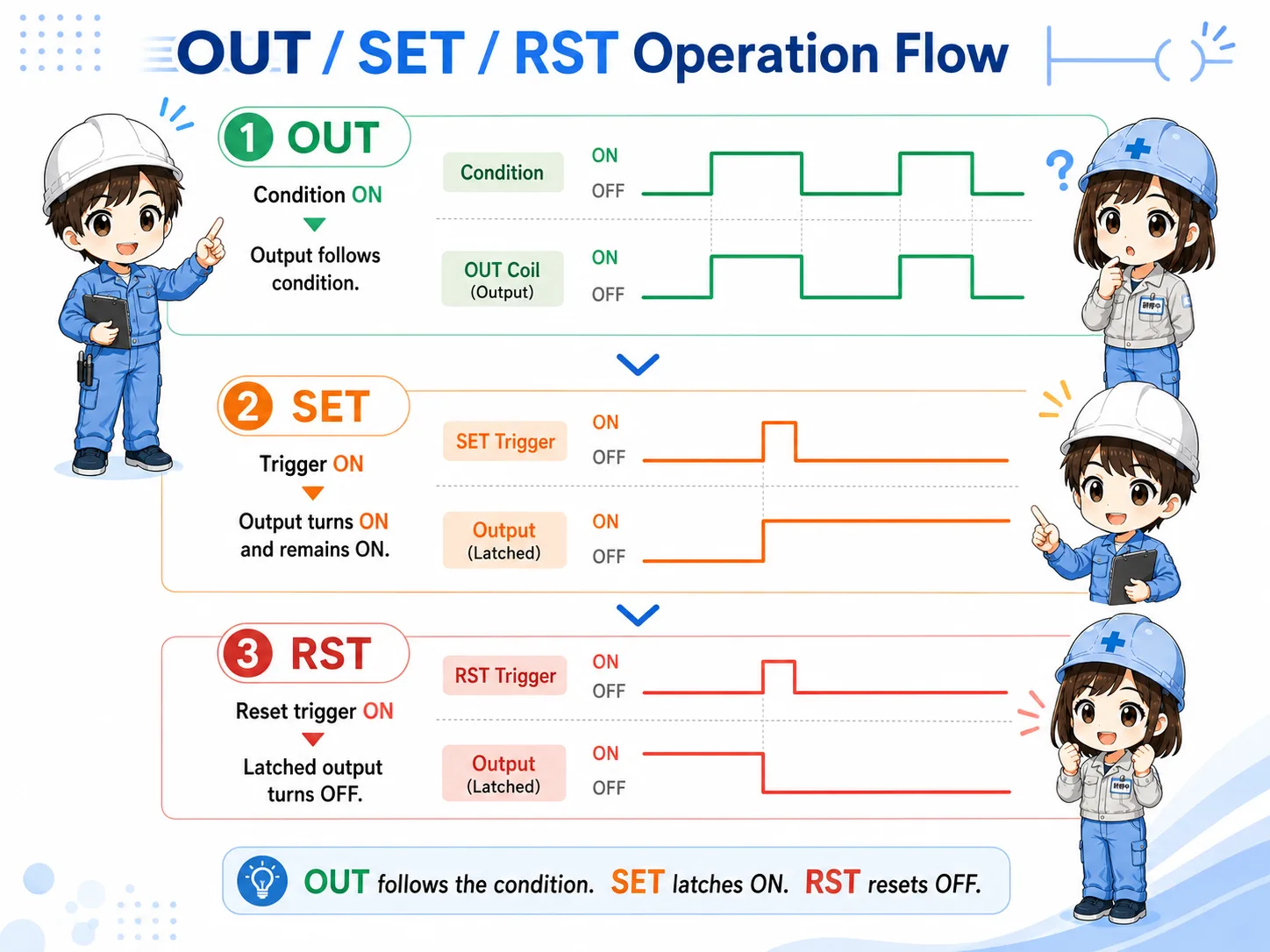
7. Cautions when using SET/RST
SET/RST can make logic powerful, but it can also make troubleshooting harder.
- Do not SET a device without planning the RST condition.
- Avoid writing the same device from too many places.
- Be careful when OUT and SET/RST target the same device.
- For physical outputs, consider whether it is clearer to make an internal state first, then drive the output with OUT.
- When troubleshooting, search the same device number and check all OUT, SET, and RST usage.
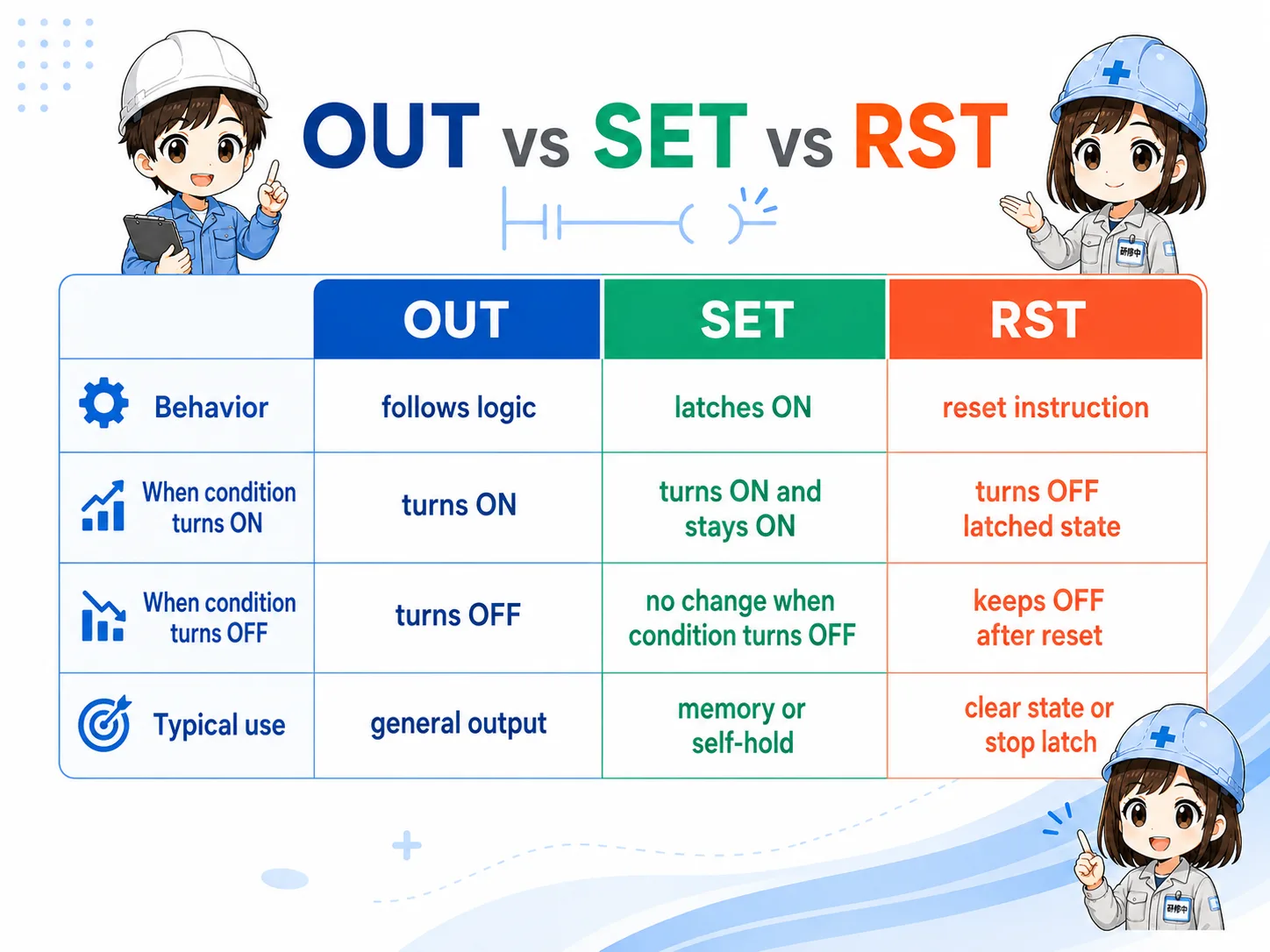
8. Field check points in GX Works3
Search the target device and check every place that writes to it.
- Search the target device, such as M100 or Y20.
- Check where it is turned ON by OUT or SET.
- Check where it is cleared by RST.
- Confirm whether the same device is written in multiple rungs.
- Trace what condition is currently ON in online monitor.
- Check whether an internal memory device should drive the final physical output.
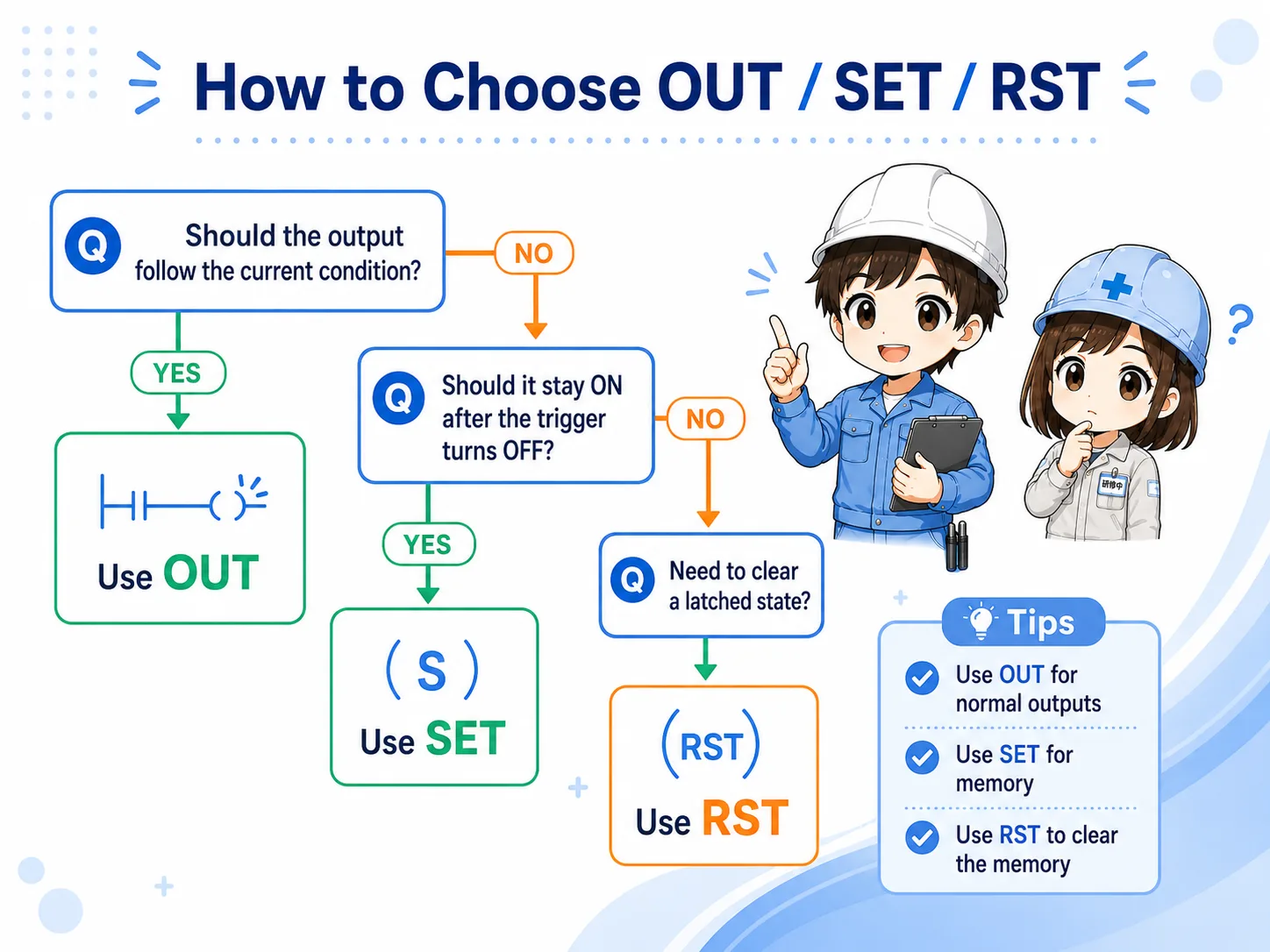
9. Common beginner mistakes
Most mistakes come from forgetting that SET creates memory.
- No reset condition: SET turns ON, but nothing clears it.
- Reset too early: RST clears the device before the next step can use it.
- Too many write locations: The same device is controlled from many rungs.
- OUT and SET/RST mixed on one device: It becomes hard to know which logic currently controls it.
- Directly latching physical outputs: This may make recovery and troubleshooting harder depending on the machine design.
10. Summary
OUT, SET, and RST become easier to understand when you separate their roles. OUT follows the condition. SET stores a state. RST clears the stored state.
In the field, always search the target device and check every rung that writes to it. This habit prevents many mistakes around latched states and reset conditions.

Related articles
These English articles are already available and connect well with OUT, SET, and RST basics.