Good fit for
- Beginners who see fans, filters, vents, or heat alarms on control panels
- Electricians learning why panel temperature affects equipment reliability
- People who want to understand basic airflow before troubleshooting
Control panels can become hot because power supplies, drives, PLCs, relays, and other devices generate heat. This guide explains why cooling fans are used, how intake, circulation, and exhaust airflow work, and what to check in the field.
A cooling fan helps move air so heat does not stay inside the control panel.
A control panel cooling fan is used to reduce heat buildup inside an electrical control panel. Devices such as power supplies, inverters, servo drives, PLC units, contactors, relays, and transformers can generate heat during operation.
The fan does not simply “make the panel cold.” Its real role is to help create an airflow path so warm air can move away from heat-generating parts and be replaced or circulated more effectively.
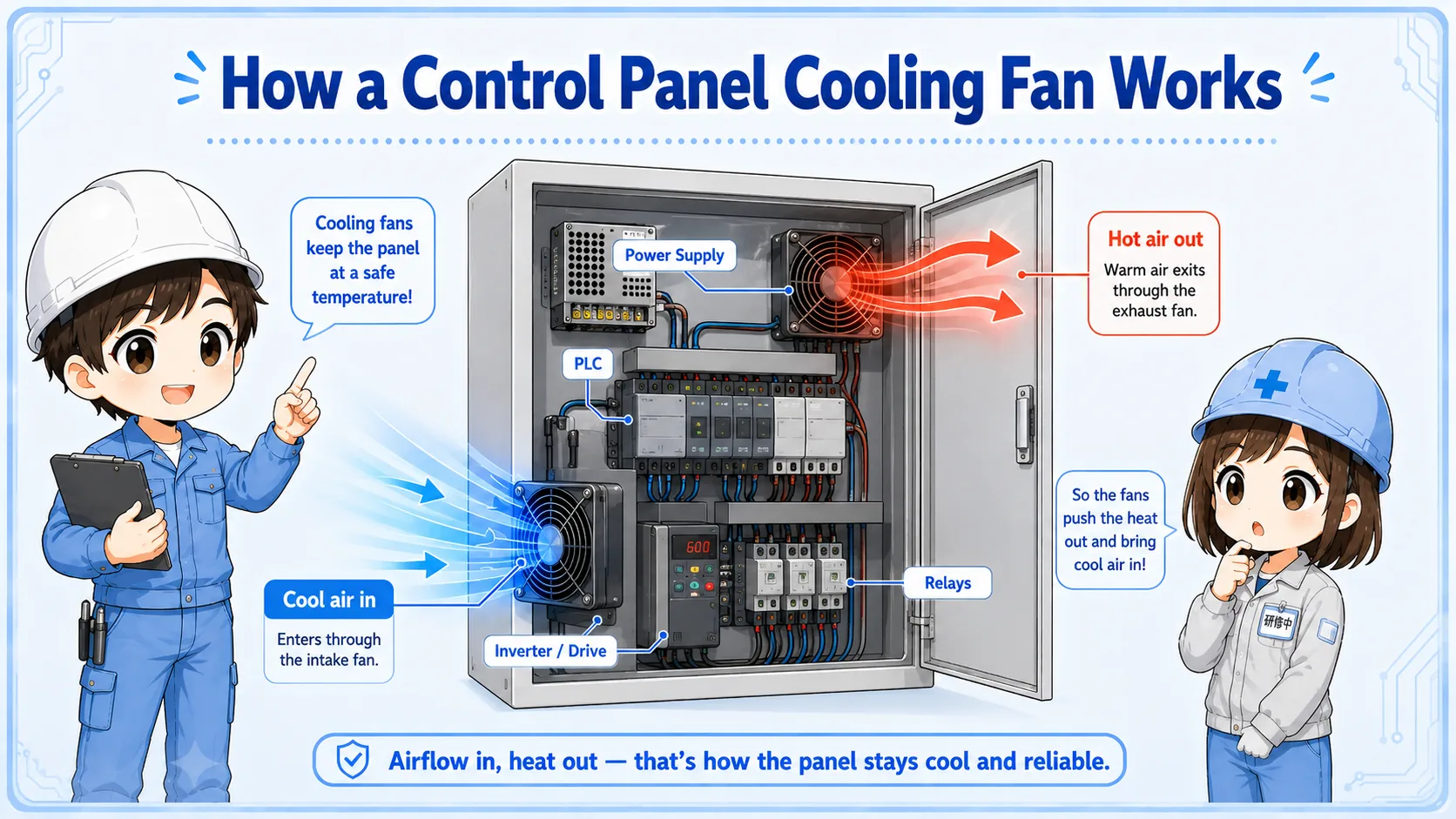
Do not look only at whether the fan is spinning. Also check whether air can enter, move through the panel, and leave without being blocked.
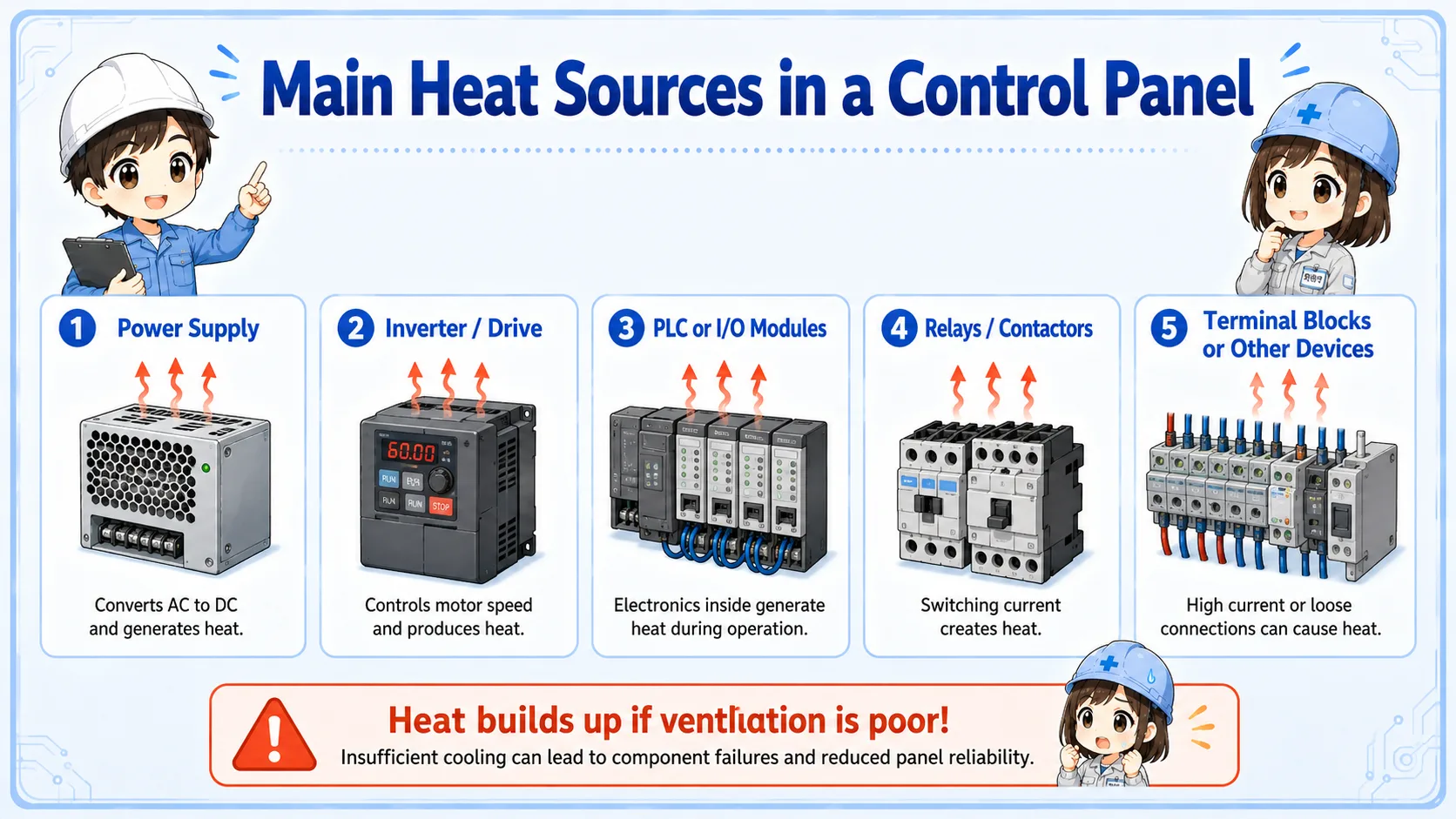
Heat is generated inside the panel and can also come from the surrounding environment.
Control panels often contain many devices in a limited space. Heat can come from power conversion, coil losses, switching devices, transformers, drives, terminal resistance, and surrounding machine conditions.
Power supplies, drives, transformers, relays, and other devices generate heat.
Clogged filters, blocked vents, or crowded wiring can reduce air movement.
High ambient temperature, dust, oil mist, or poor installation location can make cooling harder.
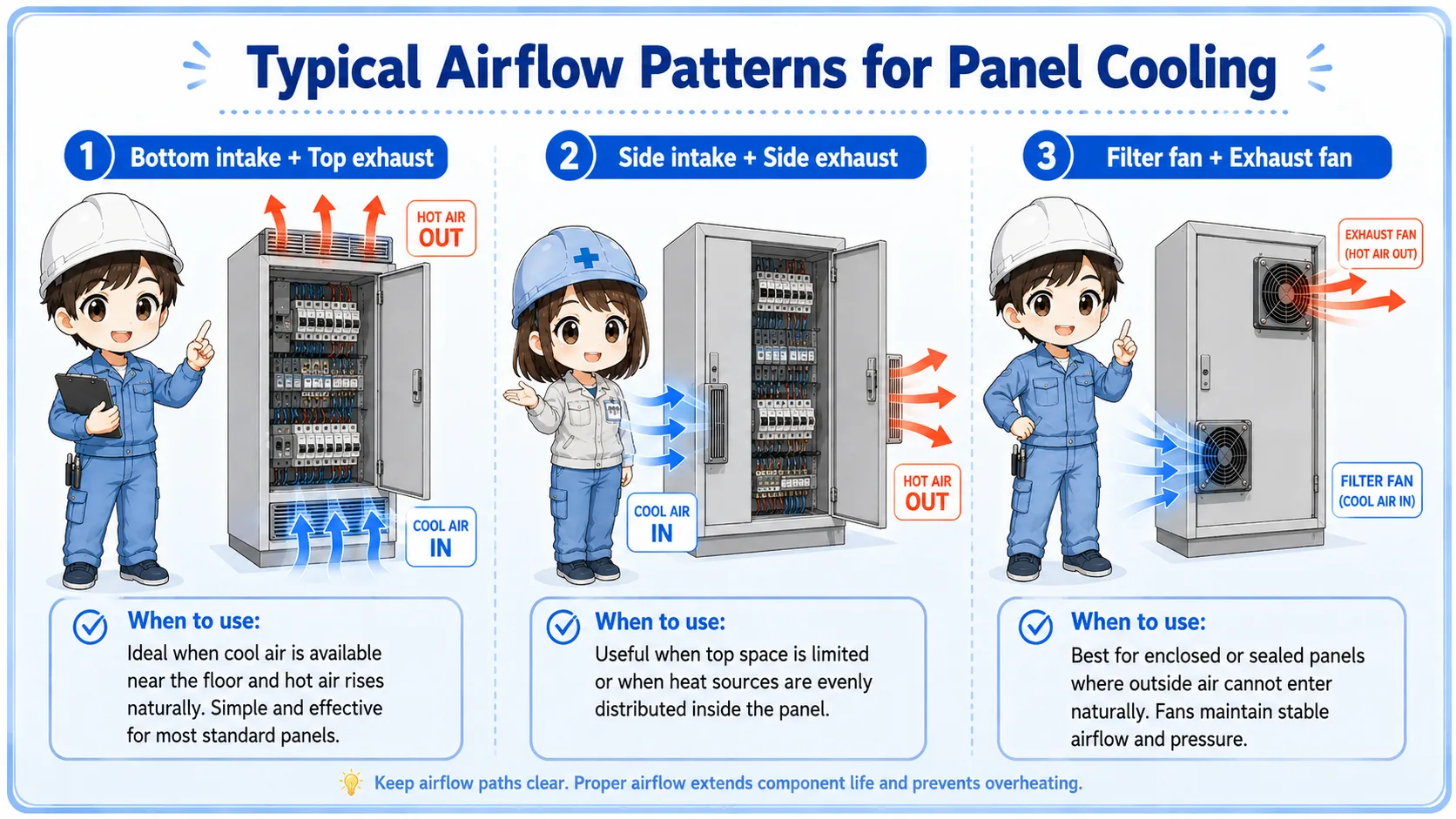
Cooling is easier to understand when you separate the direction and purpose of airflow.
Some fans bring air into the panel through a filter. Some fans circulate air inside the panel. Some fans exhaust warm air outside. The actual design depends on the enclosure, environment, heat load, and machine requirements.
| Airflow type | Basic role | Beginner viewpoint |
|---|---|---|
| Intake | Brings outside air into the panel | Check the filter, intake path, and surrounding dust |
| Circulation | Moves air inside the enclosure | Check whether air reaches hot devices and avoids dead zones |
| Exhaust | Moves warm air out of the panel | Check exhaust direction, outlet blockage, and warm-air recirculation |
Bringing outside air into a panel may also bring dust, oil mist, moisture, or heat. Always consider enclosure rating, filter maintenance, and installation conditions.
Cooling does not remove the heat source; it helps prevent heat from staying in one place.
Without enough airflow, warm air can stay around heat-generating components. This may raise internal temperature and shorten the life of electronic devices. With an appropriate airflow path, warm air is moved away more efficiently.
However, simply adding a fan is not always the answer. If the filter is clogged, the fan direction is wrong, the outlet is blocked, or the surrounding air is too hot, the panel may still overheat.
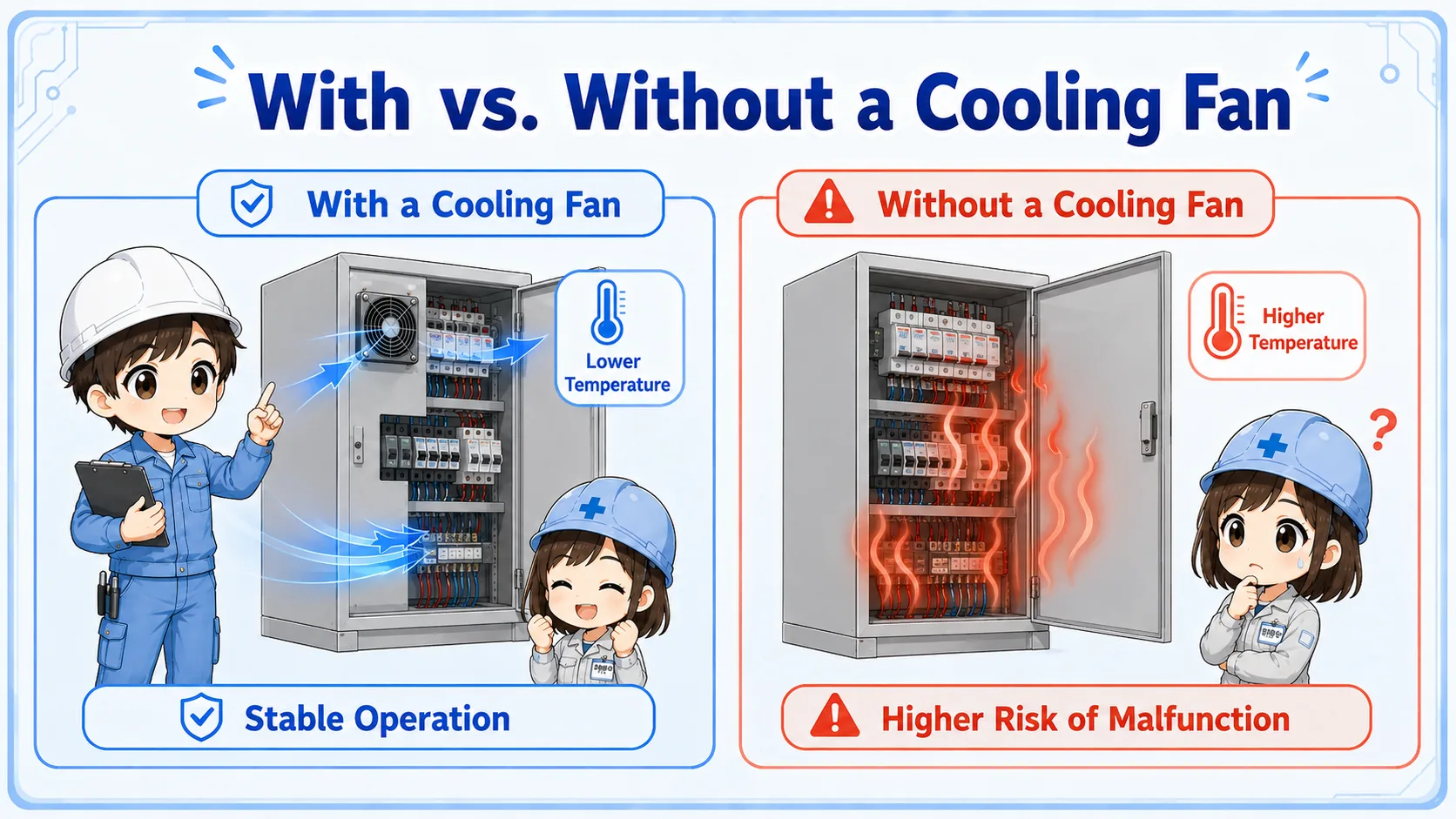
A fan that spins is not always a fan that cools well. Check actual airflow, filter condition, vent blockage, and internal heat sources.
A short conversation helps avoid judging only by fan rotation.

If the panel is hot, do not only ask whether the fan is running. Ask whether air can actually pass through the filter, around the devices, and out of the panel.

So a spinning fan can still fail to cool if the filter is clogged or the outlet is blocked?
Exactly. Cooling is about airflow, not only fan rotation. Always check the path of the air.
Most practical checks are about power, rotation, airflow, filters, vents, and heat sources.
Check fan power, connector, fuse, control signal, rotation, abnormal noise, and vibration.
Check dust, oil mist, clogging, filter direction, replacement interval, and whether air can pass.
Check vents, cable ducts, parts layout, nearby walls, stored items, and exhaust recirculation.
Check drives, power supplies, transformers, terminals, overloaded devices, and abnormal heat.
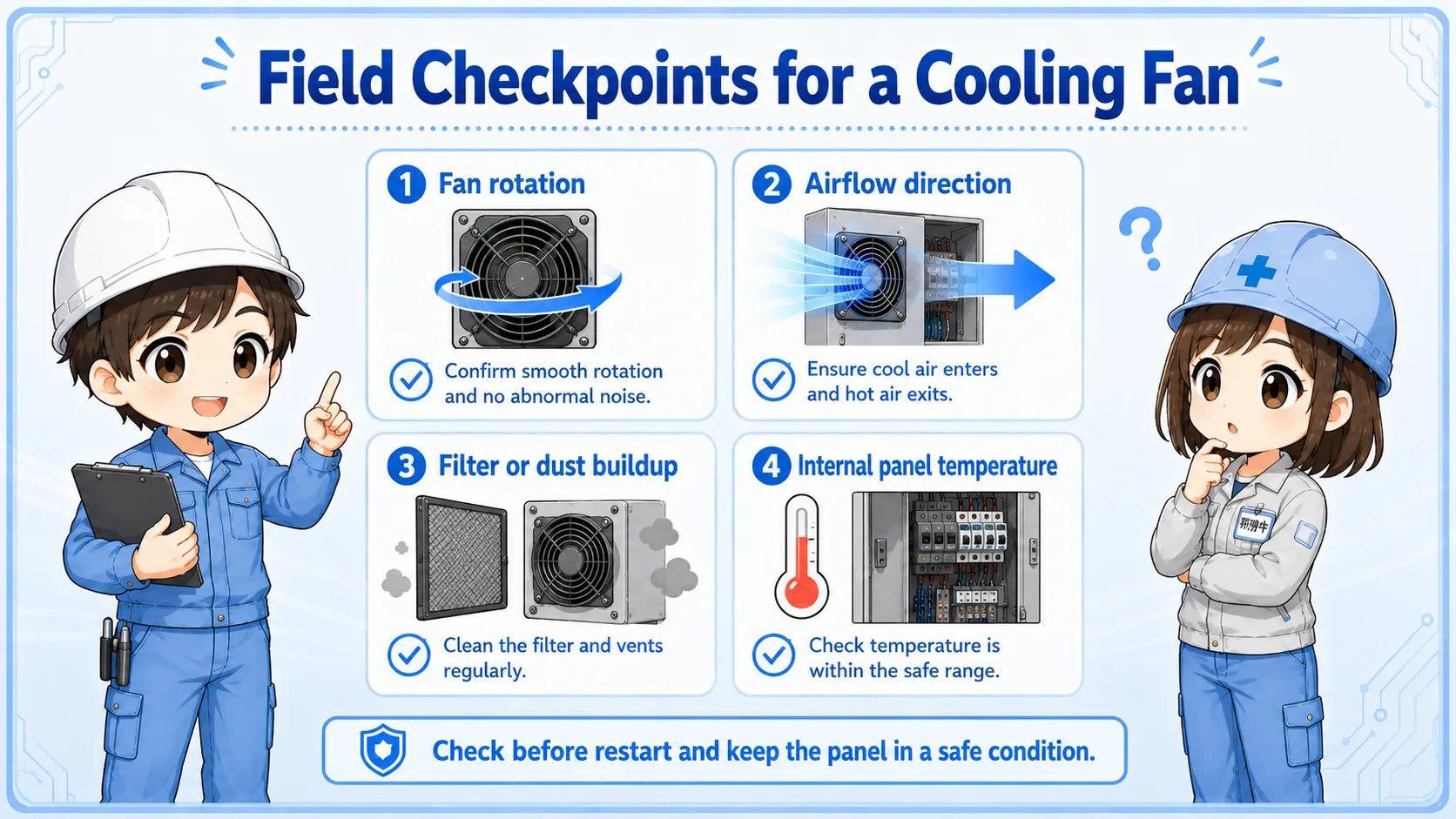
When cleaning or replacing fans and filters, follow the site procedure. Do not open or work inside a live panel unless it is permitted and safe.
These articles help connect panel cooling with basic power and control components.