Good fit for
- Beginners who see area sensors, area scanners, or wide-range detection devices
- Electricians learning how presence or entry zones are detected
- People checking missed detection, false detection, alignment, or wiring problems
An area sensor detects presence or entry within a defined zone. This guide explains what an area sensor does, where it is used, how it differs from a light curtain, and what to check around wiring, mounting, and detection conditions.
An area sensor detects whether something is present or entering within a defined detection zone.
An area sensor is used when a machine needs to monitor a wider space or range, not only a single point. Depending on the type, it may detect a person, workpiece, hand, part, cart, or object entering a zone.
From a beginner viewpoint, it helps to think of an area sensor as the device that watches an area. The important question is not only “is the sensor ON?” but “what area is it watching, and under what conditions does it detect?”
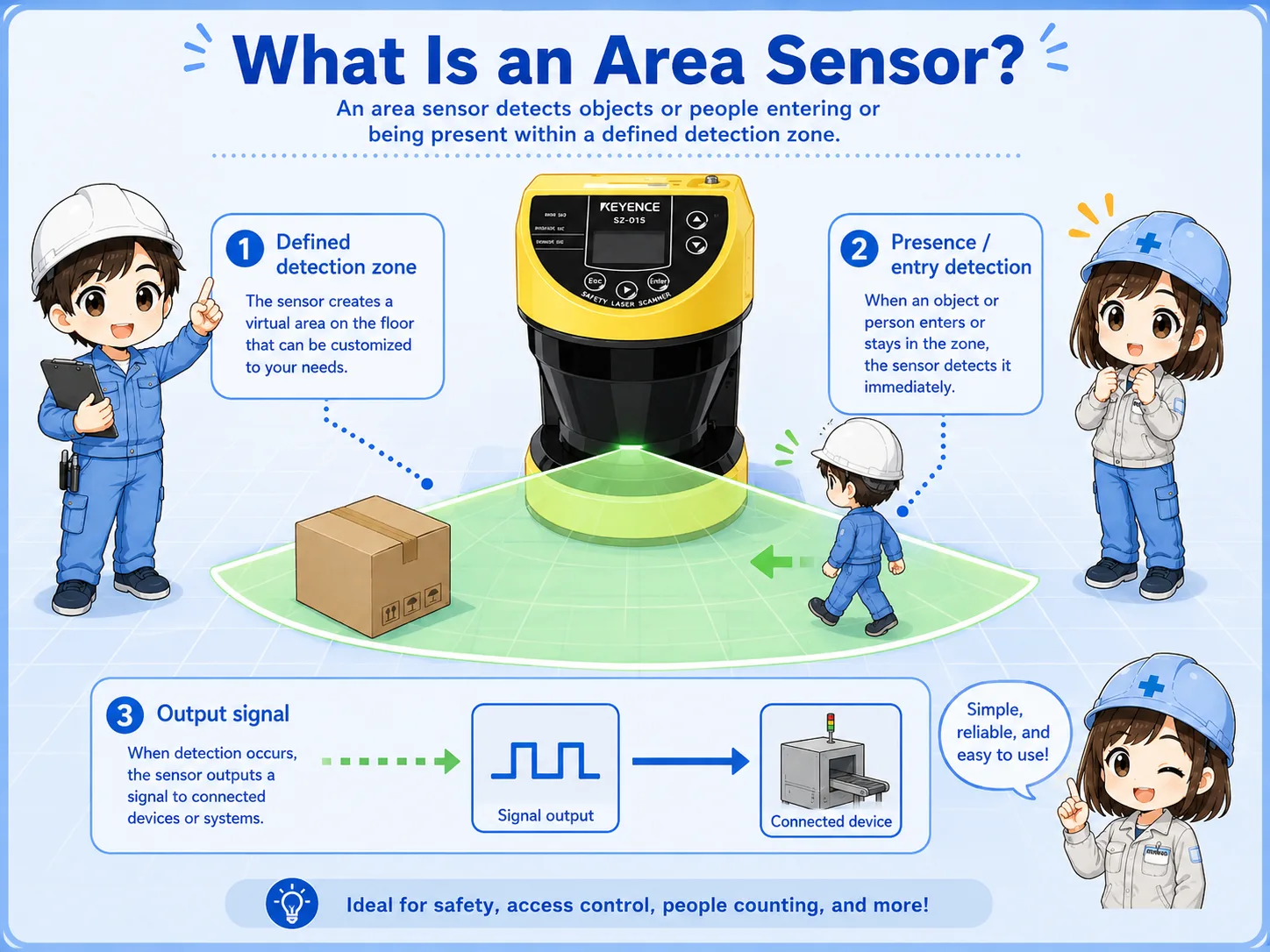
A point sensor checks one spot. An area sensor checks a wider zone. That wider zone makes setup and field checks more important.
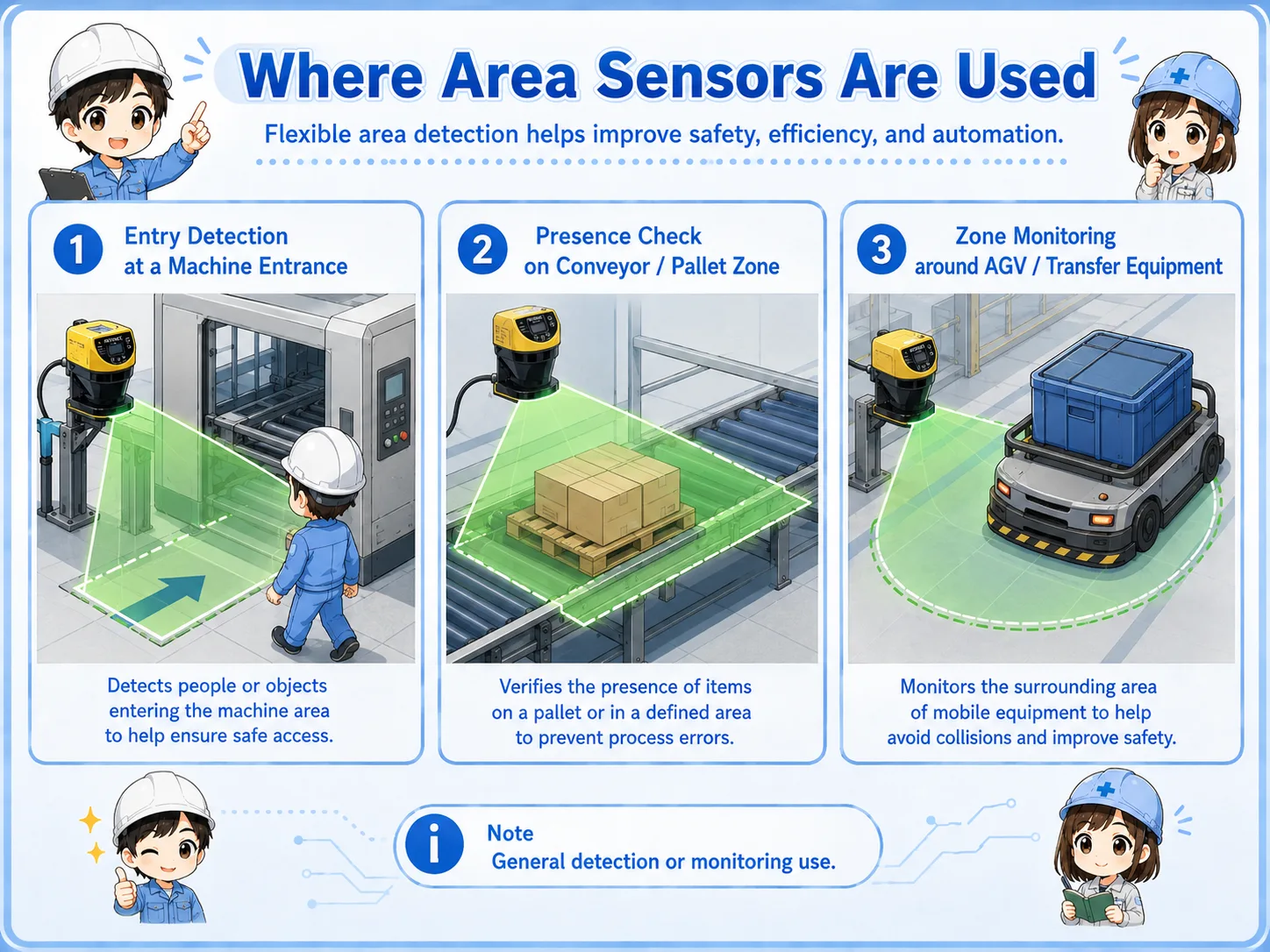
Area sensors are used around entrances, conveyors, robot areas, transfer zones, and places where wide-range detection is needed.
Typical uses include detecting entry into a machine area, confirming object presence on a conveyor, checking whether a part remains in a zone, or monitoring a work area before machine motion. Some area sensors are used for general detection, while safety-rated devices are used in safety-related systems.
Detects a person, hand, or object entering a monitored area.
Checks whether a workpiece or object exists inside a zone.
Watches a wider space around conveyors, loaders, or machine openings.
A light curtain forms a curtain-like beam plane, while an area sensor may monitor a broader or configurable zone.
A light curtain usually has a transmitter and receiver facing each other, creating multiple beams across an opening. An area sensor or area scanner may monitor a wider detection zone, sometimes with configurable areas depending on the device.
Both may be used near machines, but that does not mean they have the same role or safety rating. Always check the model, wiring, safety function, and machine design before assuming how it should work.
| Item | Area sensor | Light curtain |
|---|---|---|
| Detection idea | Monitors a defined area or zone | Creates a curtain-like beam plane across an opening |
| Field viewpoint | Check zone setting, angle, background, target, and environment | Check transmitter/receiver alignment, beam interruption, and safety output |
| Important caution | Not every area sensor is safety-rated | Safety-rated models still require correct design and wiring |
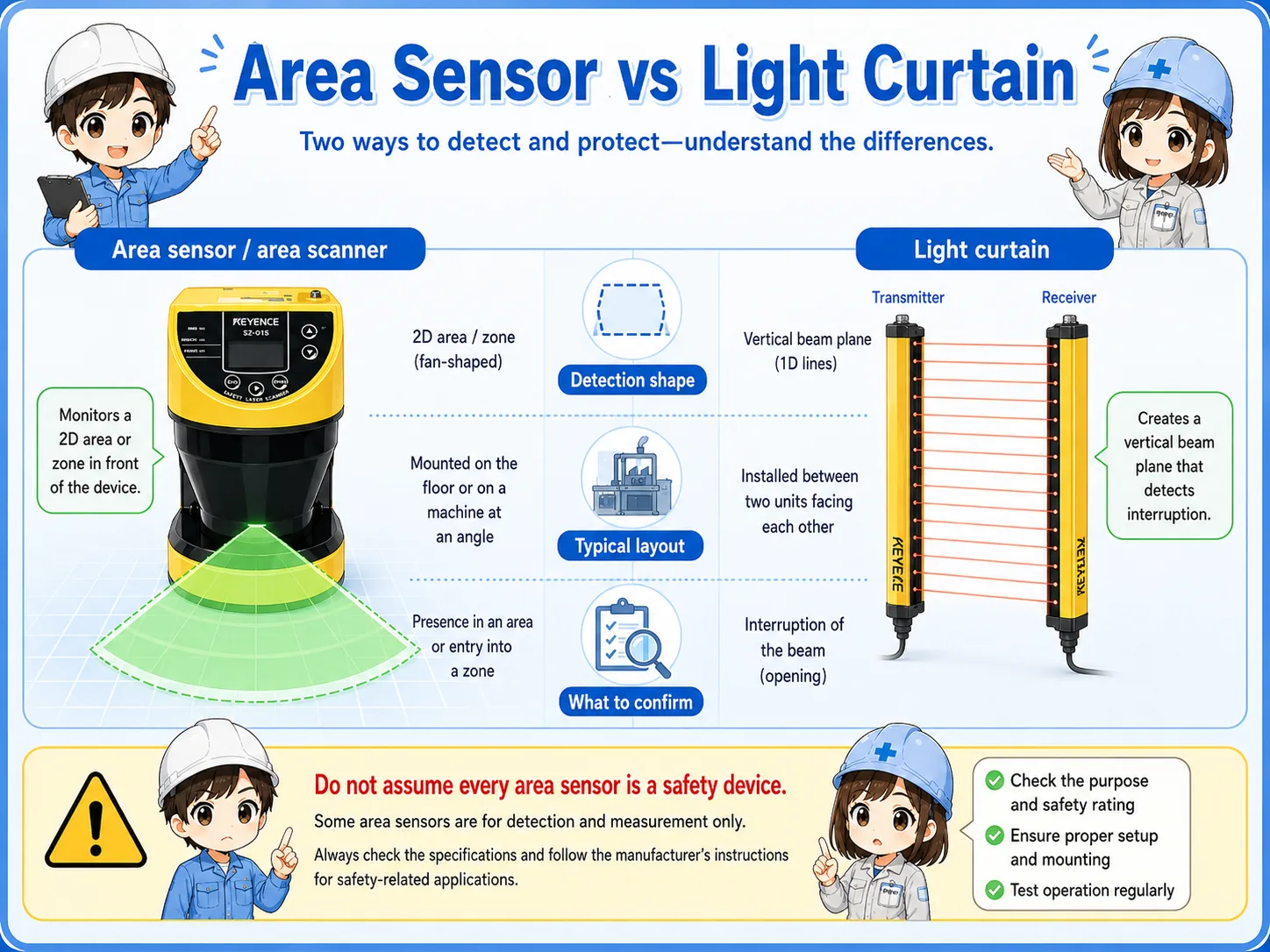
Some devices look similar from outside. Confirm the model, safety rating, wiring, and machine risk assessment before treating it as a safety protective device.
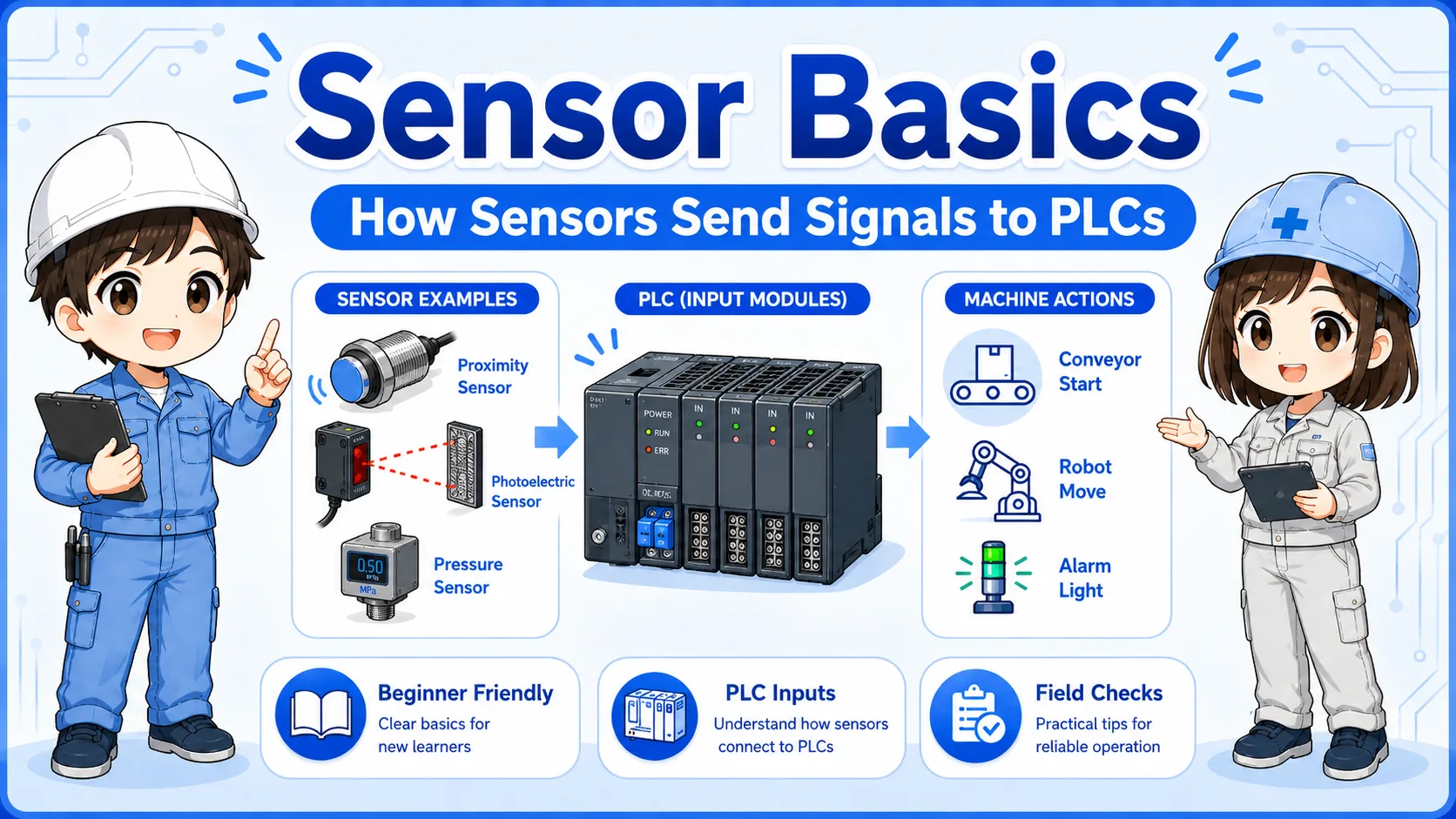
An area sensor usually sends a detection signal to a PLC, safety controller, or machine control circuit.
A simple flow may be: object enters detection zone → sensor detects the change → output signal turns ON or OFF → PLC or controller uses the signal in the machine sequence. For safety-rated systems, the signal may go to a safety controller or safety relay instead of a normal PLC input.
When troubleshooting, separate the problem into detection condition, sensor output, wiring, input device, and program logic. A sensor indicator lamp alone does not always prove that the PLC is receiving the expected signal.
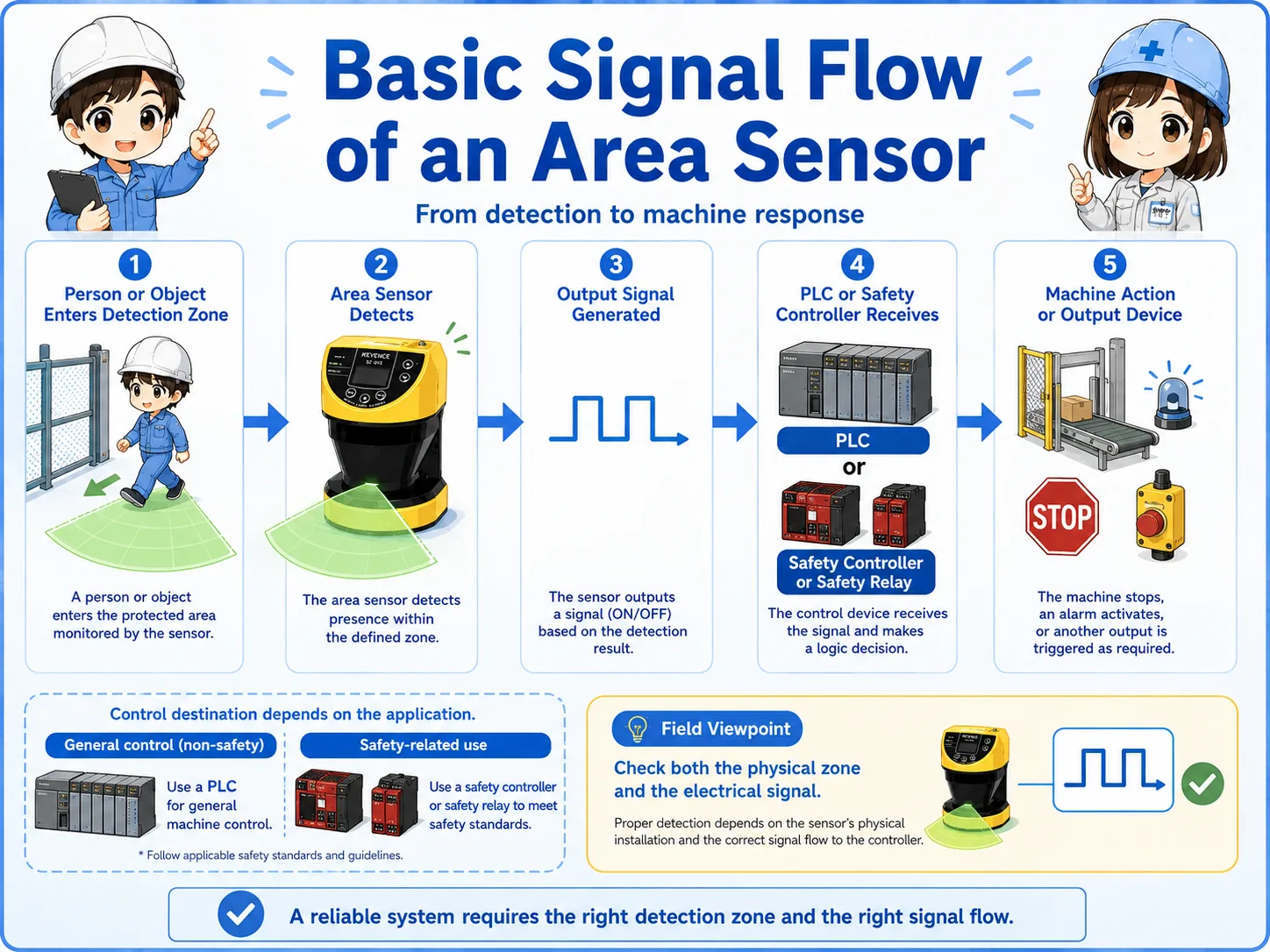
If the sensor detects on the device but not in the PLC, check output type, wiring, input common, connector, and PLC monitor status.
A short conversation helps separate sensor failure from zone setting, reflection, and environment causes.

If an area sensor detects unexpectedly, do not assume it is broken first. Check the detection zone, target height, background, reflection, and whether something is entering the area.

So the problem might be the way the area is set, not only the sensor or PLC input?
Exactly. With area sensors, the “space being watched” is part of the circuit. Always check the physical area together with the signal.
Most practical checks are about zone setting, mounting position, indicator status, wiring, and environmental conditions.
Check distance, angle, height, blind spots, configured area, and whether the target passes through the intended zone.
Check bracket looseness, vibration, sensor tilt, alignment, obstruction, and dirt on the detection window.
Check sensor indicator, output type, wiring, input common, connector, PLC input, or safety controller status.
Check reflection, background objects, sunlight, water, dust, transparent objects, and moving parts around the area.
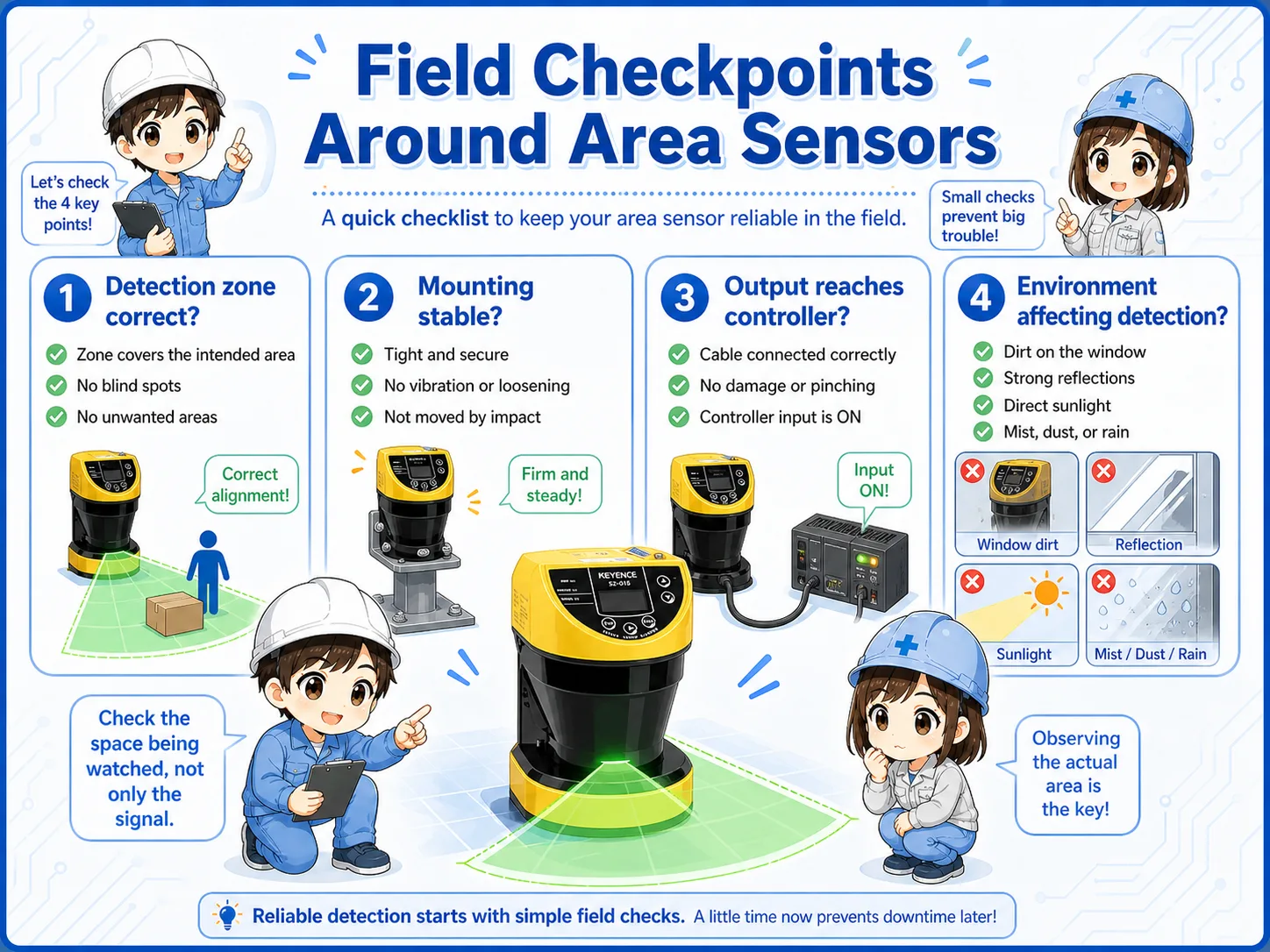
For safety-related use, follow the machine manual, manufacturer manual, risk assessment, and site safety procedure before changing settings or bypassing signals.
These articles help connect area sensors with light curtains, sensors, and PLC input signals.