What is a jog operation circuit?
Jog operation means moving a machine little by little while an operator holds a button.
In factory equipment, jog operation is used when an operator needs to move a conveyor, cylinder, motor, table, or axis by a small amount. It is often used during setup, adjustment, maintenance, and manual positioning.
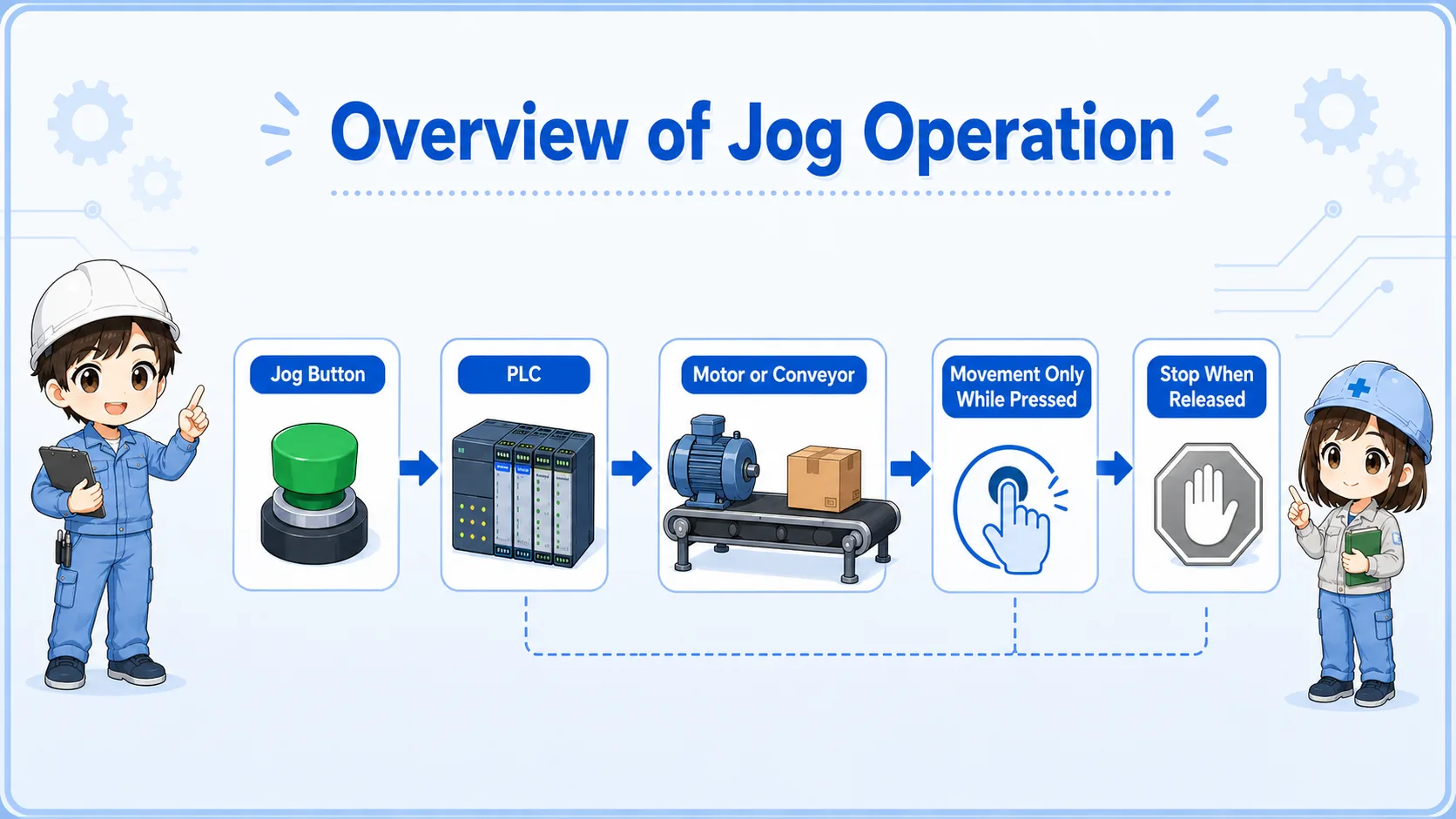
The key idea is simple: the machine moves while the jog button is pressed, and stops when the button is released.
Basic operation flow
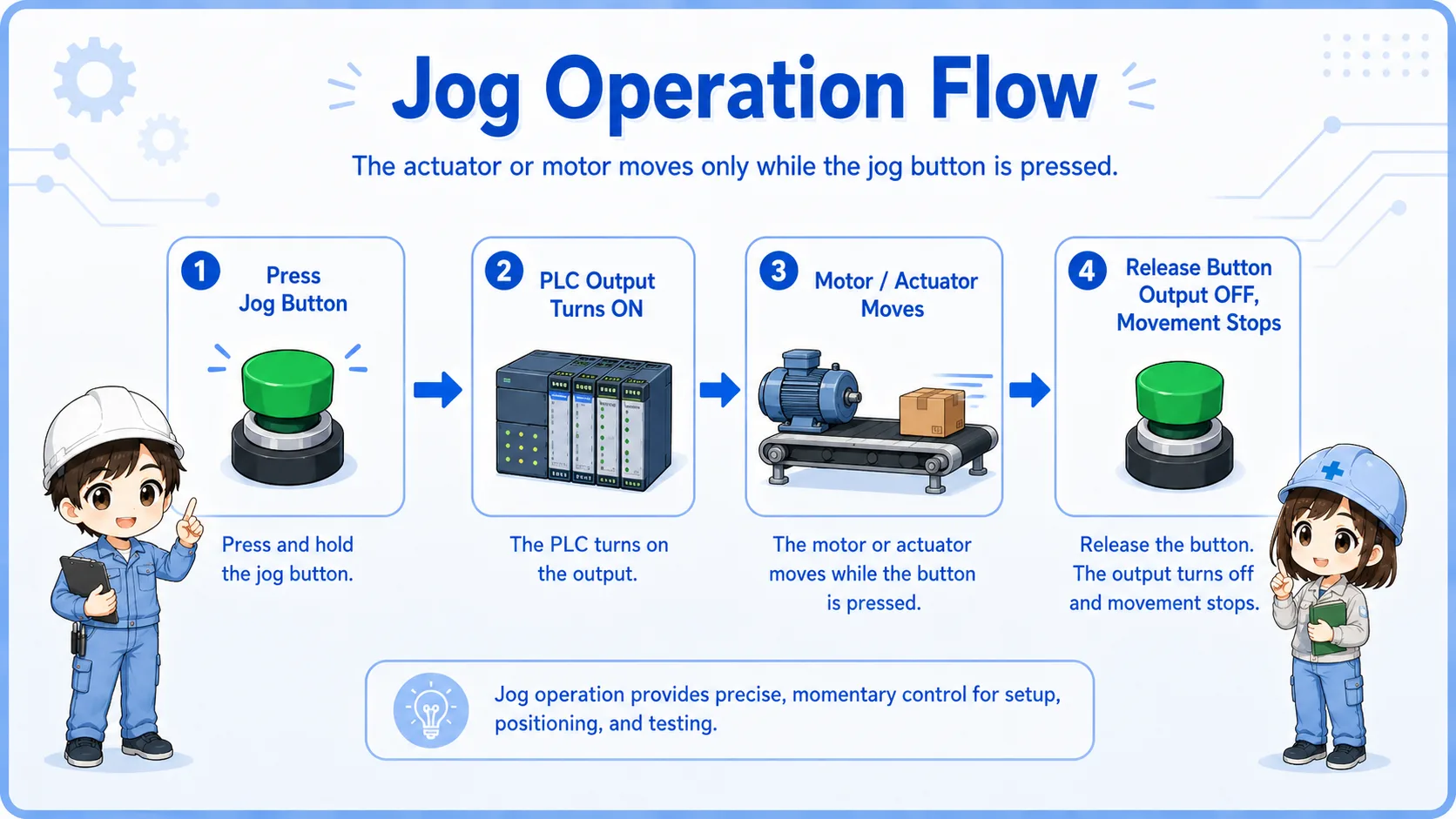
A jog circuit is usually easier to understand as a direct flow from button input to movement output.
When the jog button input turns ON, the PLC program turns ON the output for the motor, solenoid valve, or command relay. When the button input turns OFF, the output also turns OFF.
1. Press button
The operator presses and holds the jog button.
2. Output ON
The PLC turns ON the output only while the condition is true.
3. Release to stop
When the button is released, the output turns OFF.
Why self-holding is usually not used
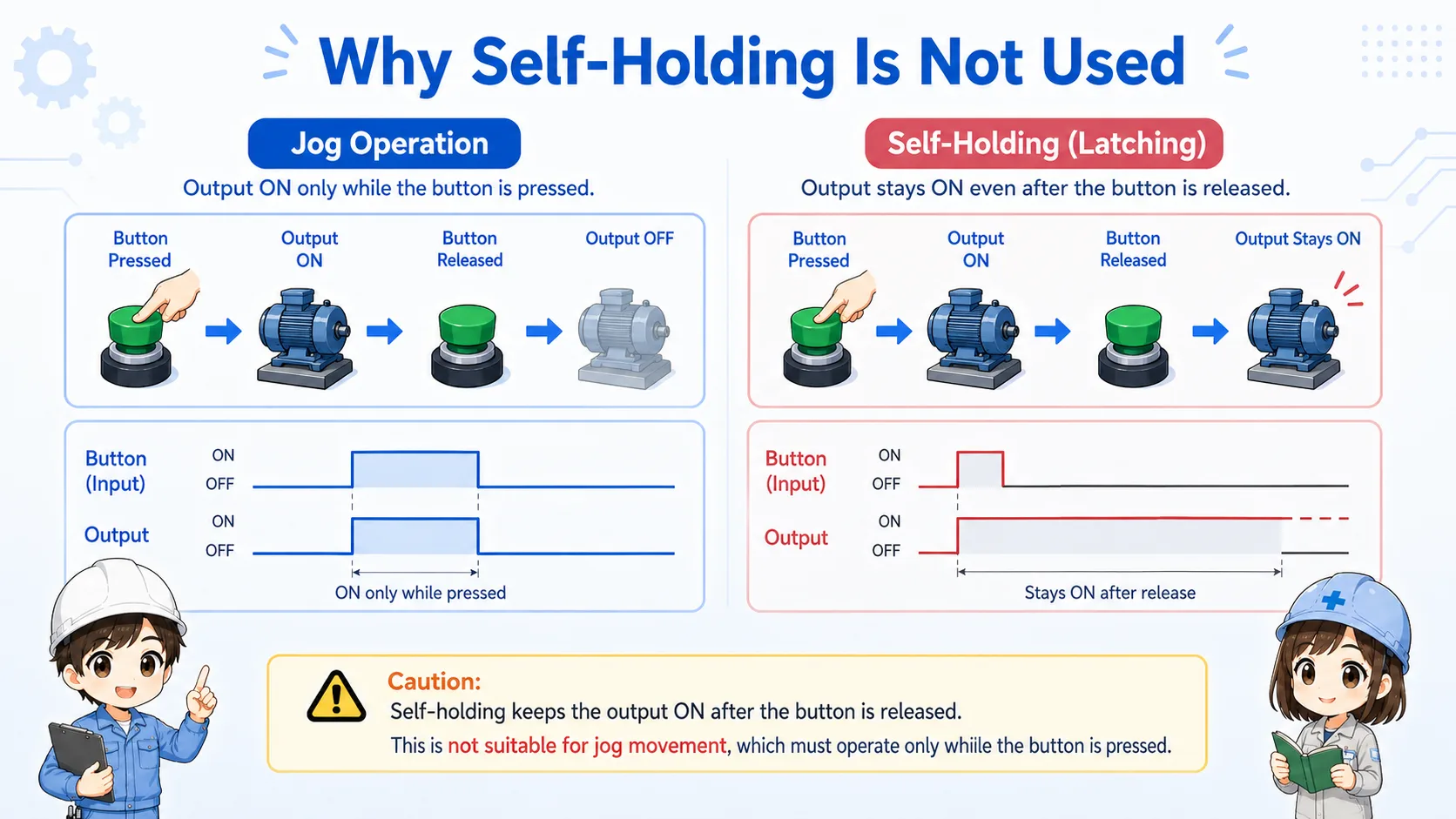
Jog operation should normally stop as soon as the operator releases the button.
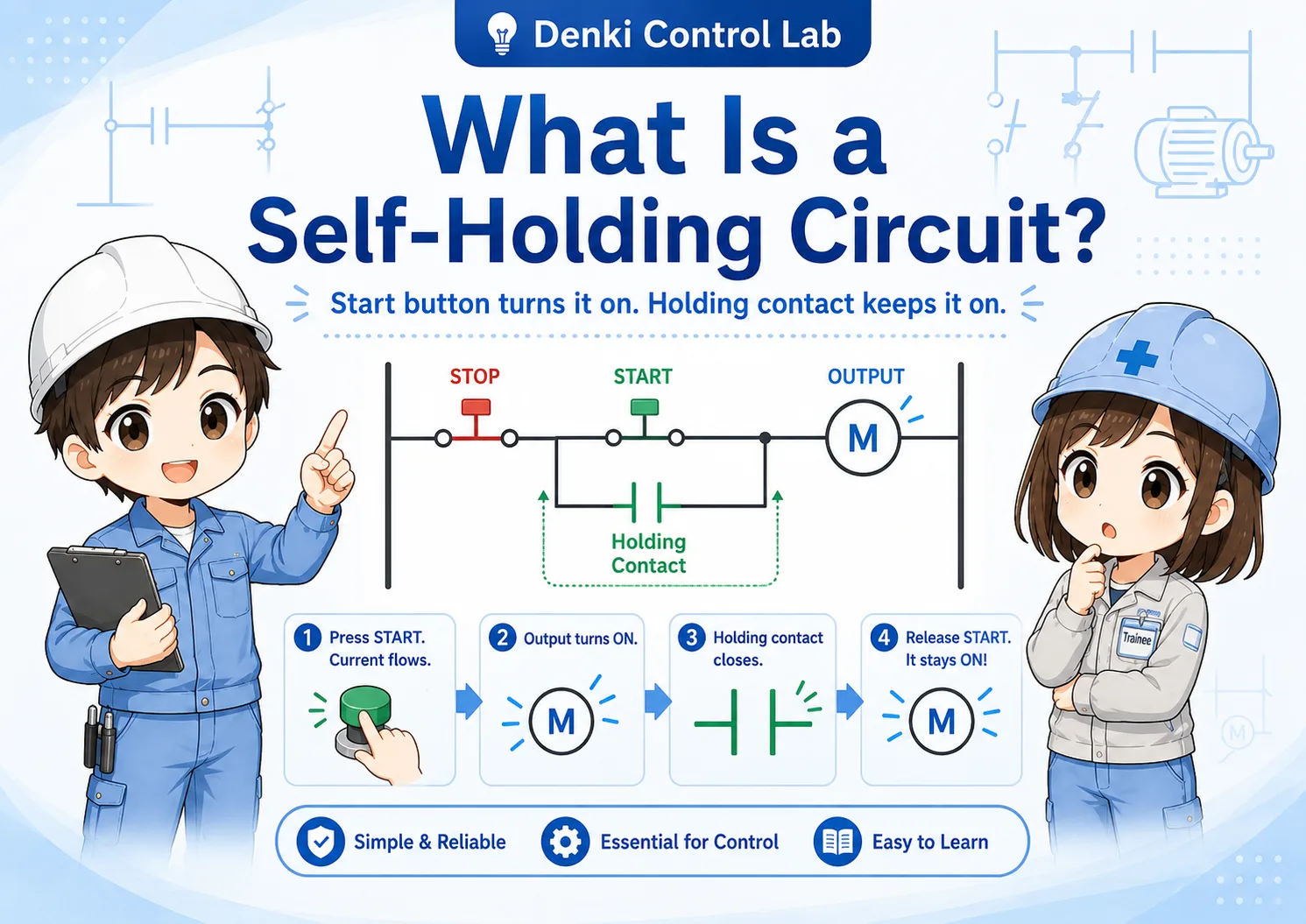
A self-holding circuit keeps an output ON after the start button is released. That behavior is useful for normal run/stop control, but it is usually not suitable for jog operation.
In jog operation, the operator often needs fine control. If self-holding is added by mistake, the machine may continue moving after the operator releases the button.
Do not confuse jog with normal run operation
If a jog circuit accidentally behaves like a self-holding circuit, the machine may keep moving when the operator expects it to stop.
Basic ladder logic idea
The simplest jog logic is close to a press-and-hold circuit, but with safety and direction conditions added.
In a basic example, the jog button, manual mode condition, safety condition, and direction interlock are placed in series before the output coil. When all conditions are true, the output turns ON.
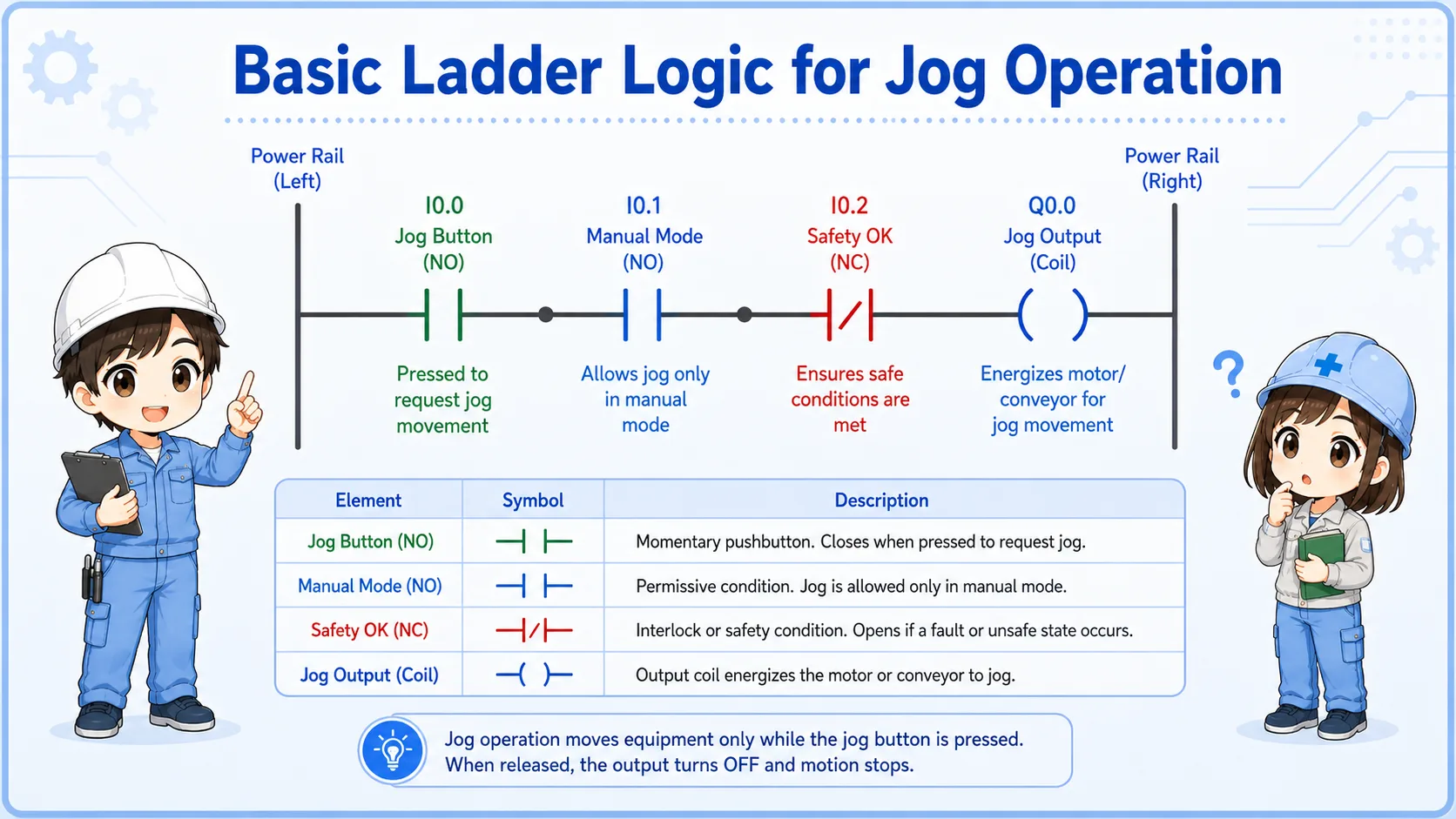
| Condition | Role | Typical check |
|---|---|---|
| Jog button | Operator command for momentary movement. | Check the PLC input turns ON while the button is pressed. |
| Manual mode | Allows jog only during manual or setup operation. | Check mode selector, HMI mode, or internal mode bit. |
| Interlock / safety | Prevents movement when unsafe or conflicting conditions exist. | Check door, limit, emergency stop, reverse command, and other permissive conditions. |
Safety and interlock points
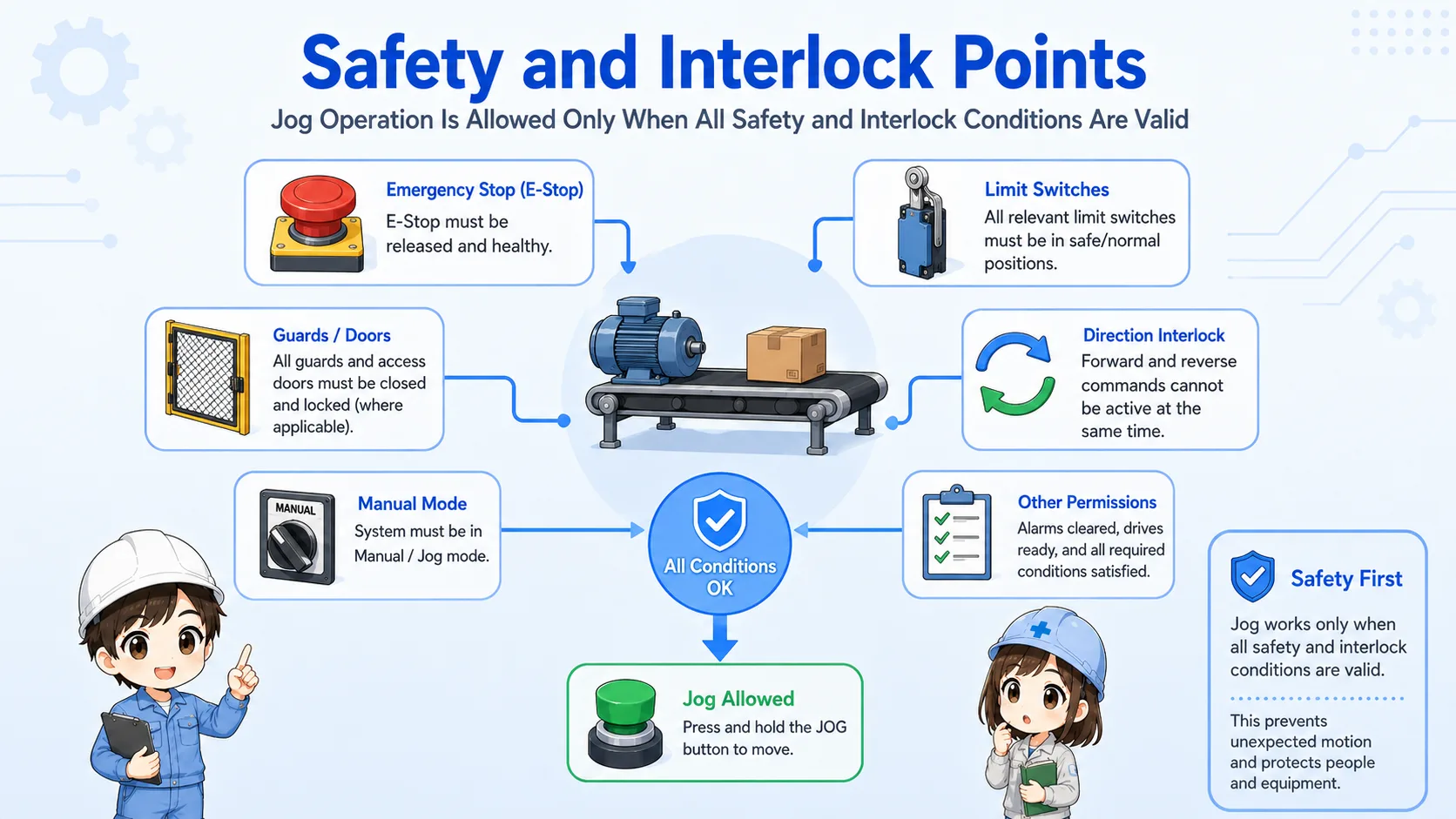
Jog operation is manual, but it still needs proper interlocks.
Because jog operation moves the machine by operator command, it should be allowed only when the machine is in the correct mode and the movement is safe. For example, a forward jog and reverse jog should not be ON at the same time.
Limit switches, area sensors, guards, emergency stop circuits, and mechanical end positions may also affect whether jog movement is allowed.
Jog is not the same as bypassing safety
Jog operation is often used during setup, but it should still follow the machine’s safety concept. Do not remove necessary interlocks just because the operation is manual.
Jog, press-and-hold, and self-holding
Jog operation is close to press-and-hold, but the purpose is machine movement adjustment.
Press-and-hold describes the behavior. Jog operation describes the machine operation purpose. Self-holding is different because it keeps the output ON after the button is released.
| Pattern | Behavior | Typical use |
|---|---|---|
| Press-and-hold | Output is ON while the button is pressed. | Momentary operation, simple manual control. |
| Jog operation | Machine moves only while the jog command is held. | Small movement, setup, adjustment, positioning. |
| Self-holding | Output stays ON after the start button is released. | Normal run/stop operation, holding a machine state. |
Same-looking contacts can have different meaning
The ladder structure may look simple, but the operation purpose changes depending on mode, interlocks, and whether a holding contact is used.
Field check points
When jog operation does not work, check the command, mode, interlock, output, and actual machine movement separately.
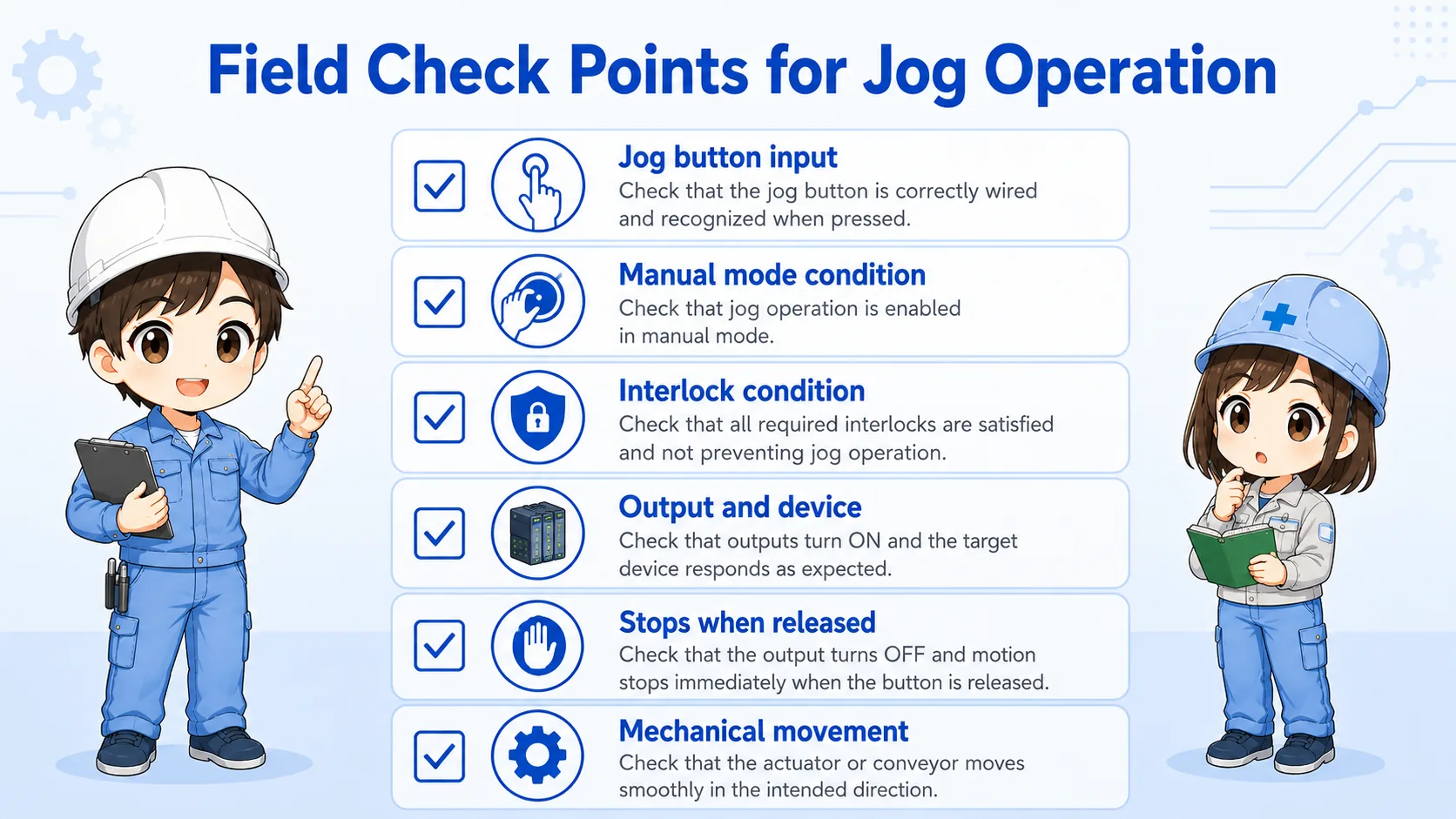
Jog button input
Confirm the PLC input turns ON only while the button is pressed.
Manual mode condition
Check whether the machine is actually in manual, setup, or jog-enabled mode.
Interlock condition
Check limit switches, opposite direction commands, guards, and permissive signals.
Output and device
Check the PLC output, relay, contactor, solenoid valve, motor driver, or servo command.
Stops when released
Confirm the output turns OFF when the button is released.
Mechanical movement
Check for binding, end position, abnormal load, air pressure, motor brake, or mechanical lock.
Short conversation

Jog operation is used when you want to move a machine little by little during manual operation.

So it moves only while I keep pressing the button?
Exactly. When you release the jog button, the output should turn OFF and the movement should stop.
Then I should not add self-holding to the jog output?
Right. For jog operation, stopping when released is usually the important behavior.
Summary
A jog operation circuit moves a machine only while the jog button is pressed. It is useful for small manual movements, setup work, and position adjustment.
The key point is to avoid unintended holding behavior. Check the jog input, manual mode, interlocks, output, and actual machine movement separately.