What is a selector switch?
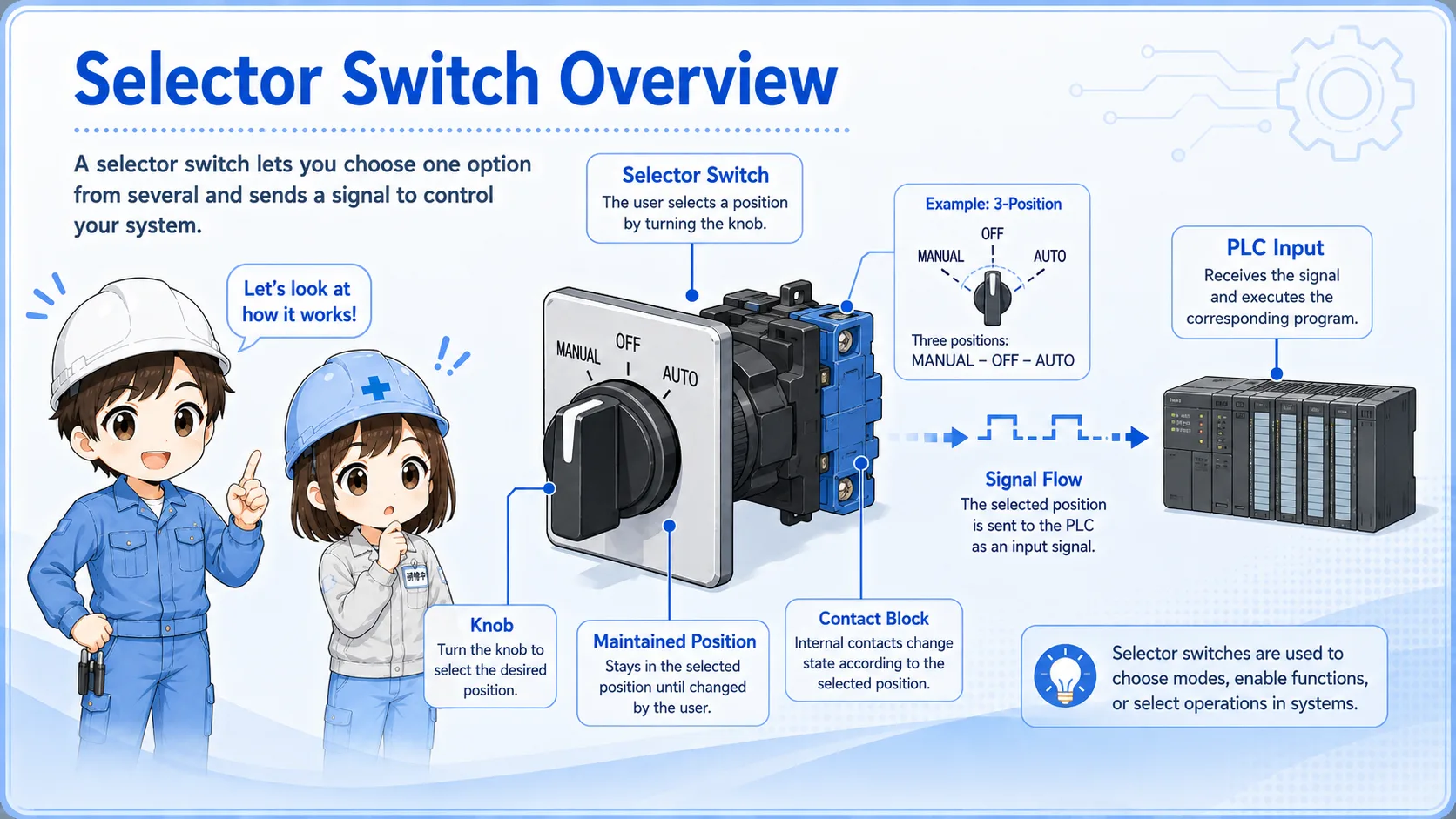
A selector switch is a switch used to select one state or operation mode by turning a knob.
Unlike a momentary push button, a selector switch usually stays in the selected position. This makes it useful for mode selection, such as Manual / Auto, Local / Remote, or ON / OFF.
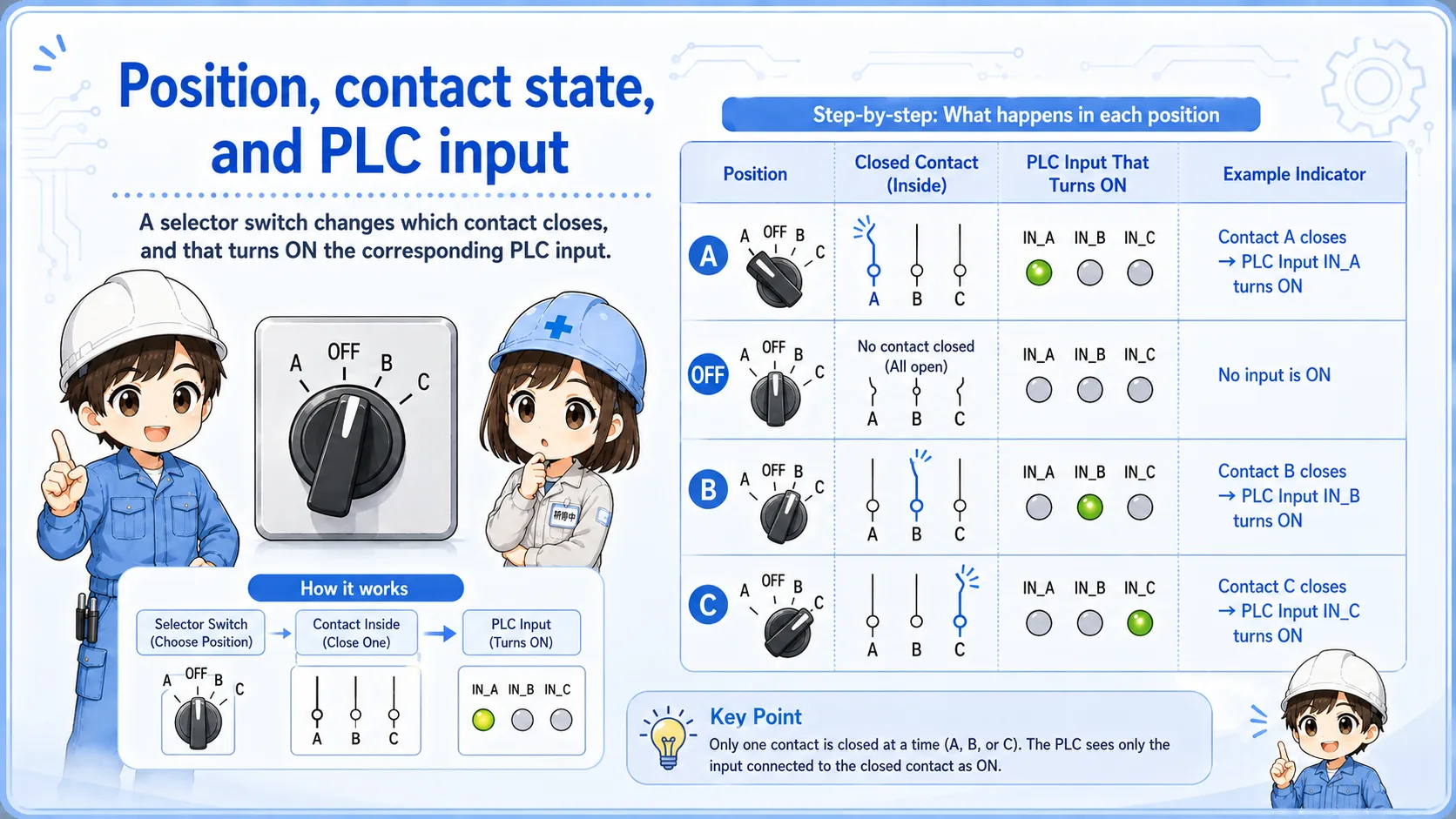
In many control panels, the selector switch is wired to PLC inputs. The PLC reads which contact is ON and uses that information to decide how the machine should operate.
Think of it as a mode selection input
The selector switch itself does not decide the whole machine behavior. It gives the selected state to the circuit or PLC program.
2-position and 3-position selector switches
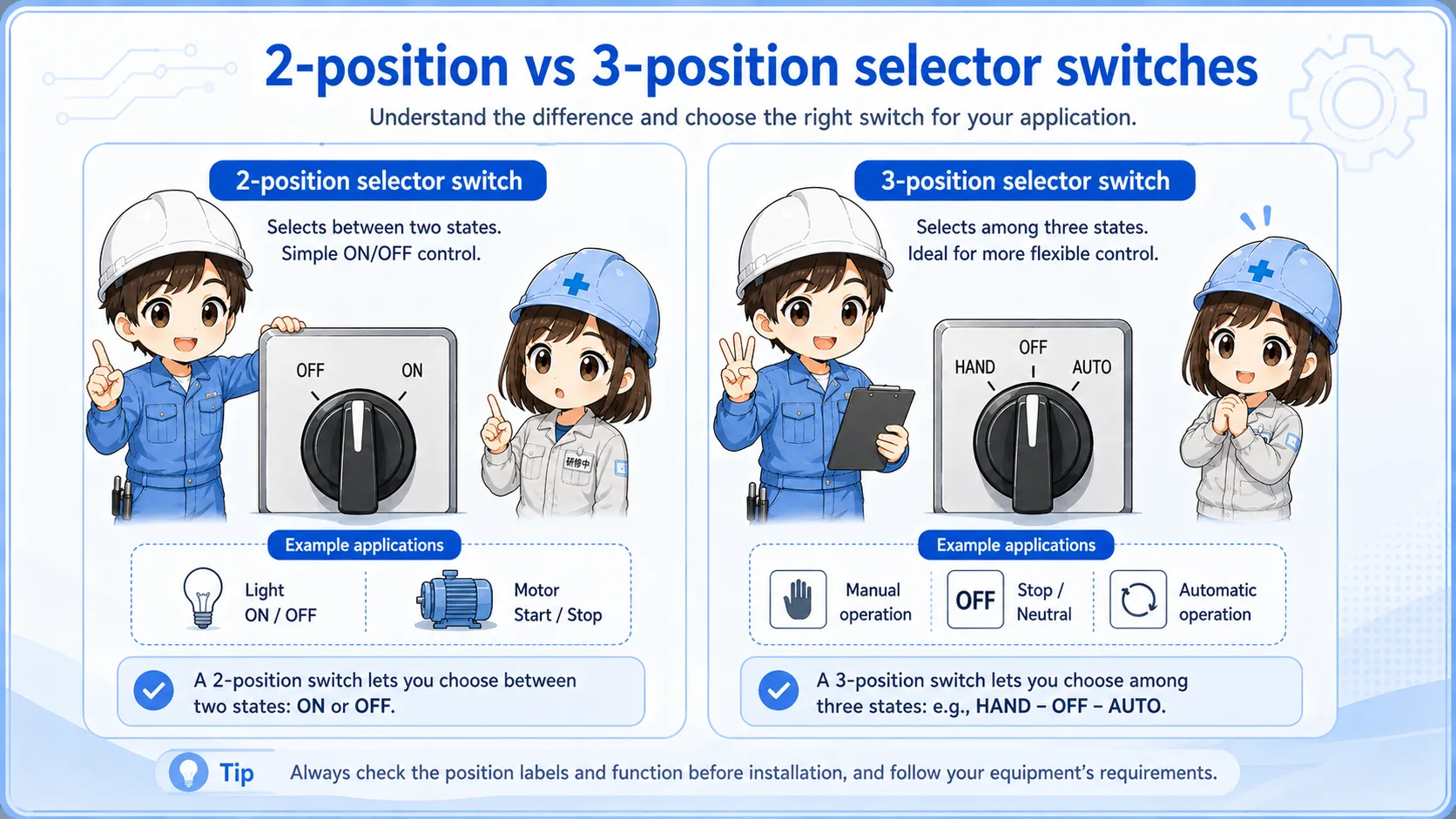
Selector switches are often described by the number of positions. A 2-position selector may be used for ON/OFF or Manual/Auto. A 3-position selector may be used for Manual/OFF/Auto, Forward/OFF/Reverse, or Local/OFF/Remote.
| Type | Example labels | Common use |
|---|---|---|
| 2-position | ON / OFF, Manual / Auto | Simple mode or state selection |
| 3-position | Manual / OFF / Auto, FWD / OFF / REV | Mode selection with a neutral or stop position |
| Key selector | Run / Setting, Auto / Maintenance | Operation authority or restricted mode selection |
Manual / Auto selection
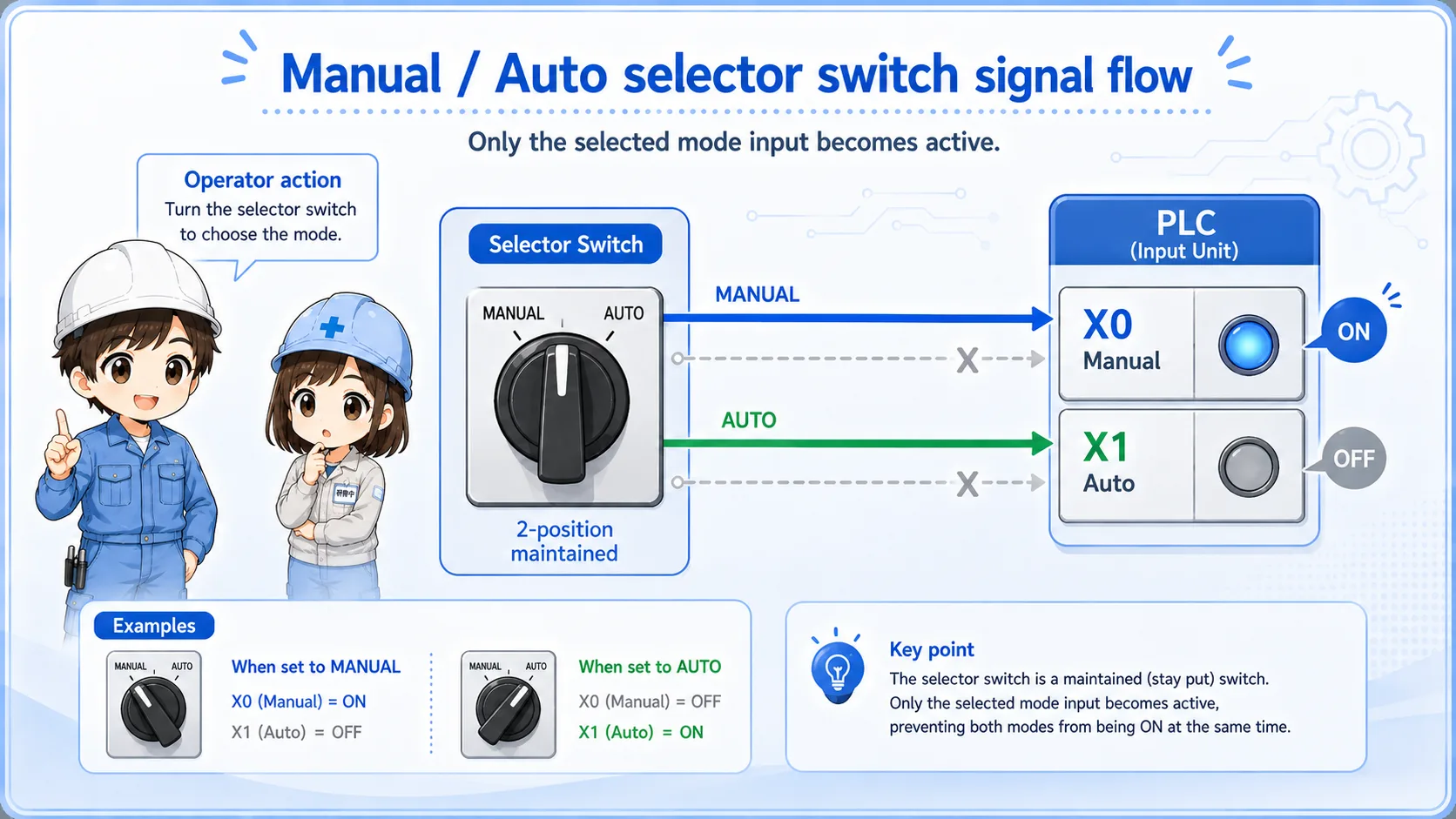
Manual/Auto selection is one of the most common uses. In Auto mode, the PLC may run the normal sequence. In Manual mode, the machine may allow individual operation, jog operation, or maintenance checks.
The selector switch only tells the control system which mode is selected. The PLC program or relay circuit decides what is allowed in each mode.
Manual mode is not automatically safe
Manual mode may allow movement that is not allowed in Auto mode. Always check the machine condition, interlocks, and surrounding safety before operating equipment manually.
Contact behavior behind the selector knob
Behind the front knob, a selector switch may have one or more contact blocks. Each switch position changes which contact is open or closed.
This is why two selector switches that look similar from the front can behave differently in the circuit.
Check contact blocks
Confirm how many contact blocks are attached and whether they are NO or NC.
Check terminal numbers
Do not assume the same terminal arrangement when replacing a different model.
Check selected position
Measure contact state in each knob position, not only from the front label.
Check circuit role
If the switch changes mode or authority, wrong wiring can change machine behavior.
Field checks before replacing a selector switch
Before replacing a selector switch, confirm the role of each position and each contact. A replacement that looks similar can still have a different contact pattern.
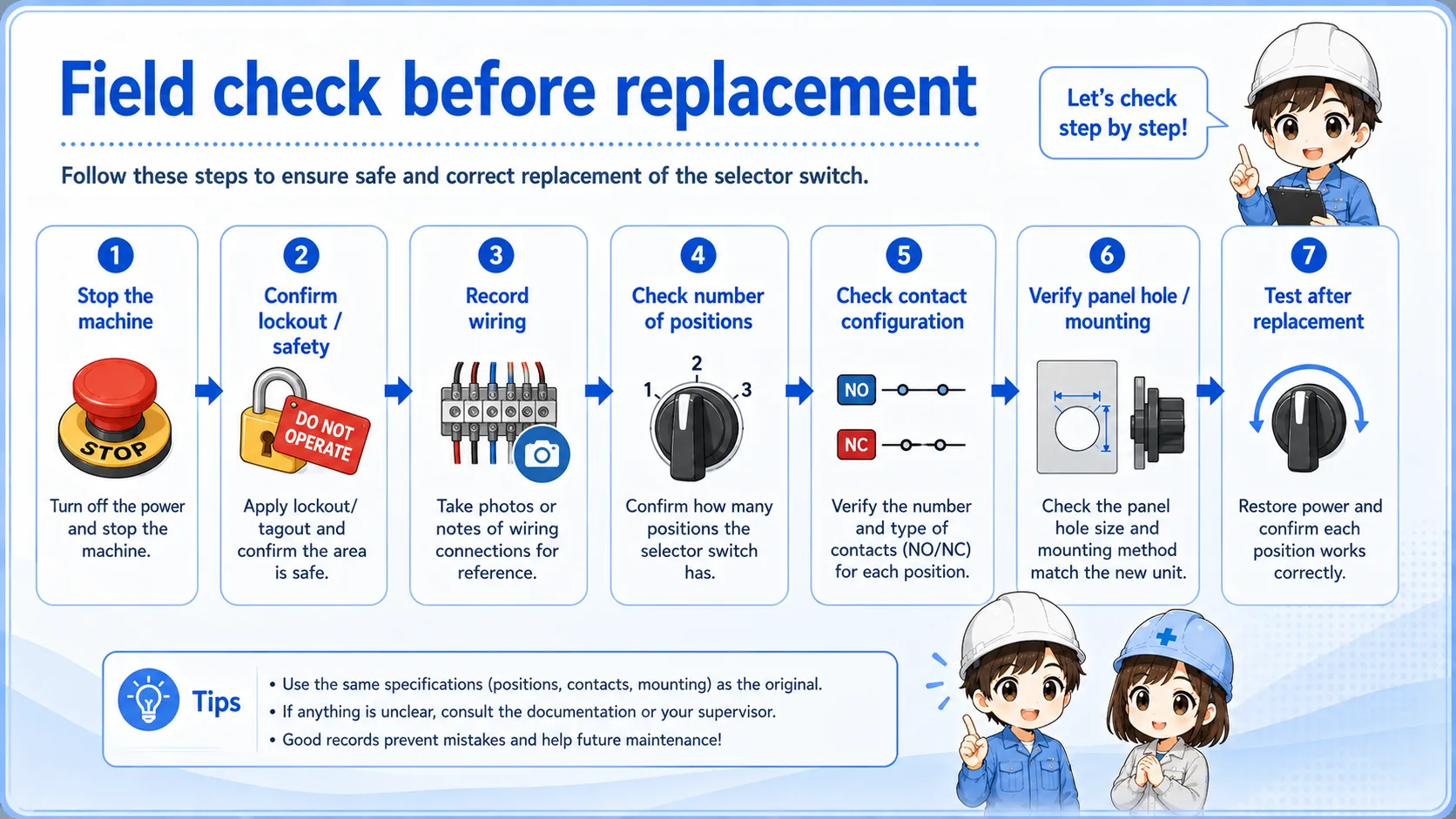
- Confirm the label and role of each position.
- Check whether it is 2-position, 3-position, key type, or spring-return type.
- Confirm the number and type of contact blocks.
- Check terminal numbers and wiring before removing wires.
- Measure contact state in each position if needed.
- Watch PLC inputs or circuit signals while turning the selector.
Good field habit
Take a photo before removing wires. It helps prevent mistakes when several contact blocks are stacked behind the panel.
Common troubleshooting points
The table below summarizes common symptoms around selector switches.
| Symptom | Possible check point | Practical note |
|---|---|---|
| PLC input does not change | Contact block, wiring, terminal, input common, PLC input point. | Check the input while turning the selector to each position. |
| Mode does not change | PLC program condition, interlock, wrong contact, wrong terminal. | The selector signal may be ON, but the program may block operation. |
| Different behavior after replacement | Different contact pattern or terminal arrangement. | Compare the old and new switch contact tables carefully. |
| Wrong operation occurs | Wrong wiring, swapped contacts, incorrect mode input. | Stop and verify the drawing before continuing operation. |
A simple way to think about it

A selector switch is not just a knob. Behind it, contact blocks change state depending on the selected position.

So I should check the selected position, contact block, terminal number, and PLC input before replacing it.
Summary: selector switches choose a mode or state
A selector switch is used to choose a control state such as Manual/Auto, ON/OFF, or Local/Remote. It usually maintains the selected position until the operator changes it.
When checking or replacing one, do not rely only on the front label. Confirm the contact blocks, terminal numbers, selected positions, PLC input states, and circuit role.