What is a solenoid valve manual override?
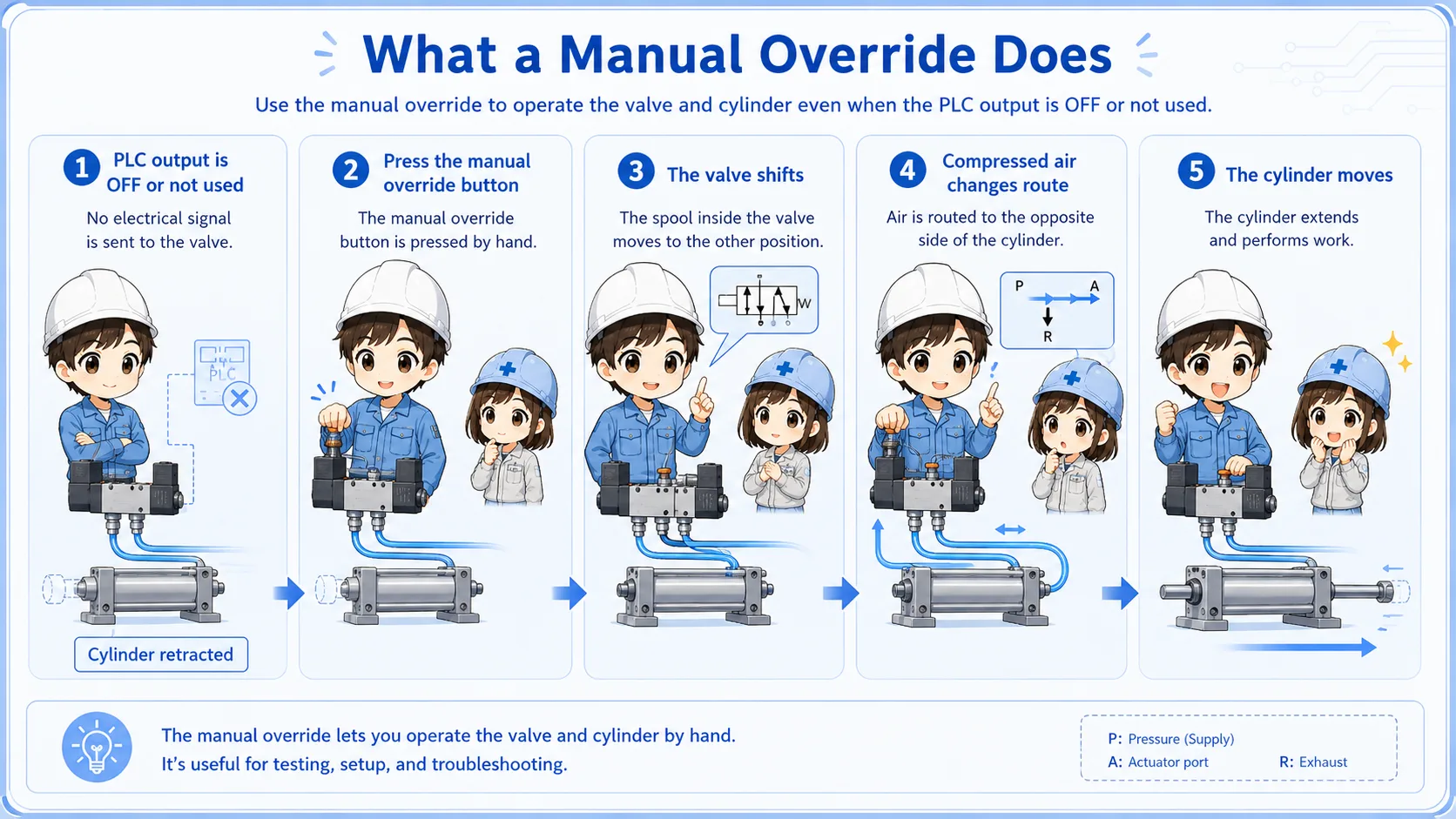
A manual override is a small button or mechanism that shifts a solenoid valve by hand.
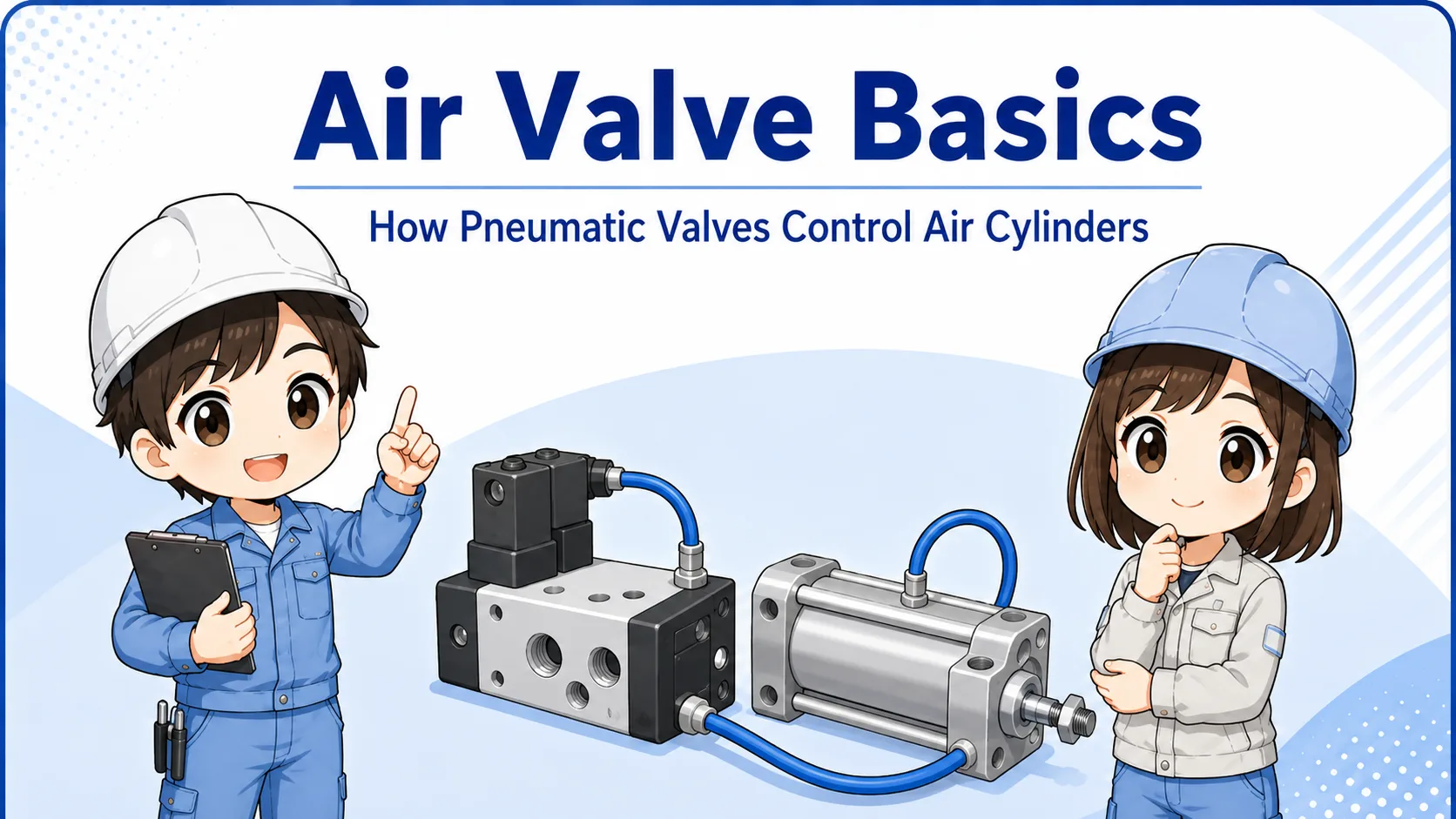
In normal operation, a PLC output energizes the solenoid valve coil. The valve shifts, compressed air changes direction, and an air cylinder moves. A manual override lets you perform that valve shift directly, without using the PLC output.
This is useful for setup, air-side checks, and troubleshooting. However, it also means the cylinder may move even if the electrical control output is not ON.
Manual operation is not just a test button
It can bypass normal PLC output timing. Treat it as a real machine operation point, not as a harmless button.
Momentary type and locking type
Manual overrides are commonly found as momentary push types or locking types. The exact shape depends on the valve manufacturer and model, but the idea is similar.
A momentary type returns when you release it. A locking type can stay in the operated position until it is released or turned back.
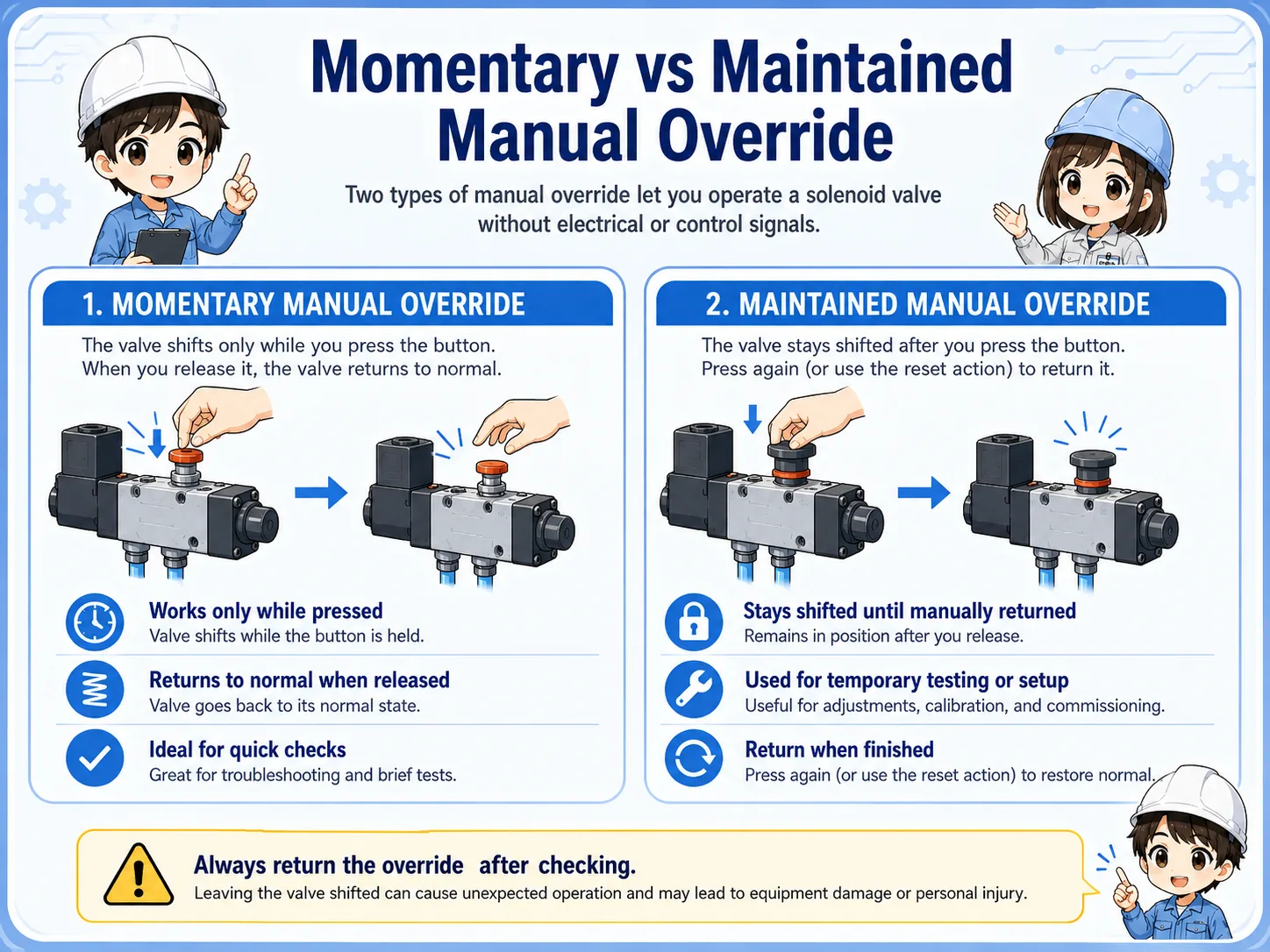
| Type | Basic behavior | Field caution |
|---|---|---|
| Momentary | Operates while the button is pressed. | Even a short press can move a cylinder. |
| Locking | Can stay operated after it is turned or pushed. | Confirm it is released before returning to automatic operation. |
| Tool-operated | May require a screwdriver or small tool. | Do not force it if the direction or mechanism is unclear. |
Check the actual valve marking
The shape and operation method differ by valve model. If you are not sure whether it locks or returns, confirm the marking and the actual machine behavior carefully.
How it helps separate PLC output and air-side problems
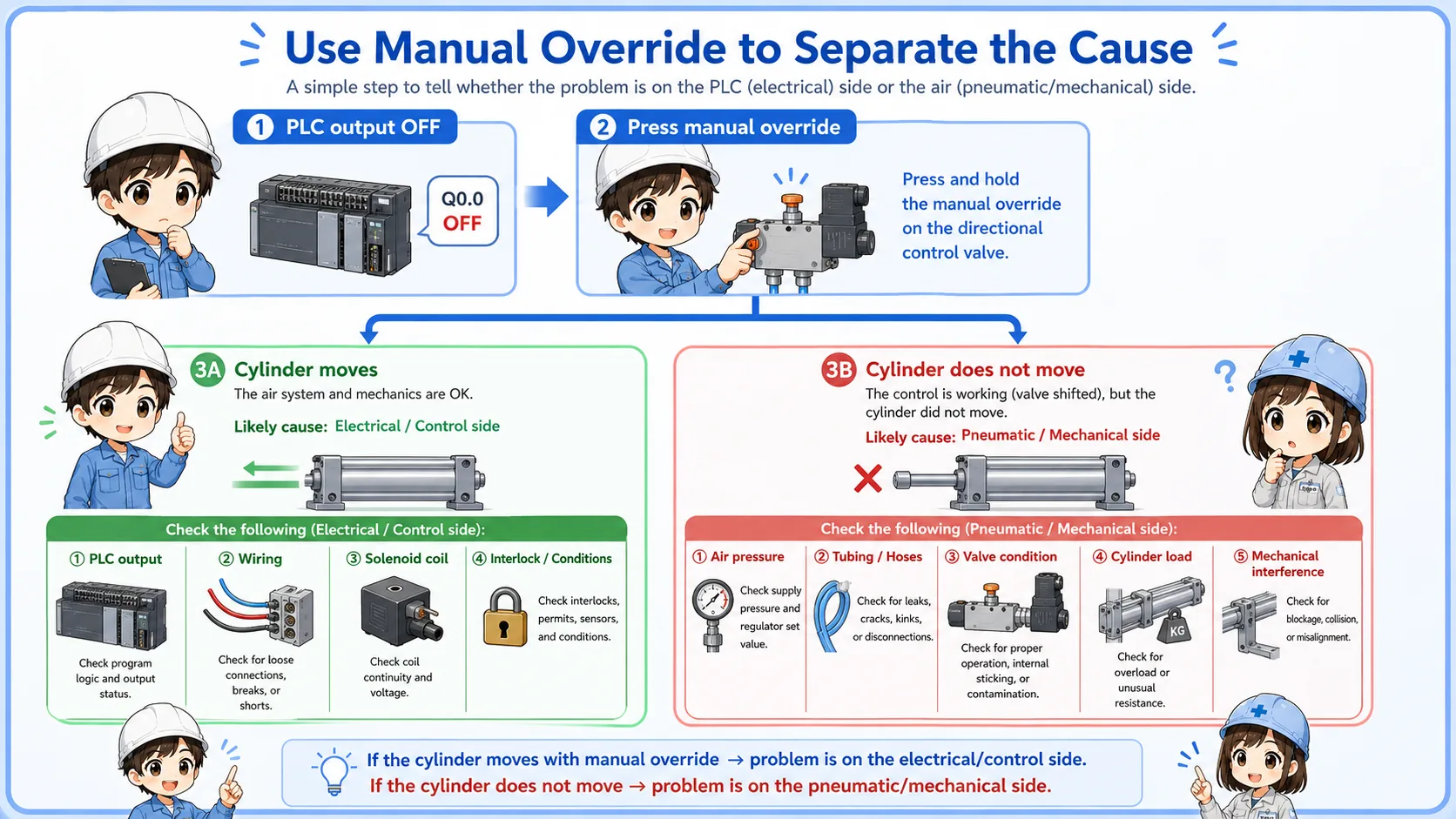
Manual override operation can help determine whether a problem is on the electrical control side or the pneumatic side.
If the cylinder moves when the manual override is operated, the air supply, valve air path, tubing, and cylinder may be basically capable of moving. If it does not move, the cause may be air pressure, tubing, cylinder load, valve condition, or mechanical resistance.
1. PLC output OFF
The valve is not being energized by control logic.
2. Press manual override
The valve is shifted by hand.
3. Watch cylinder
Movement shows whether the air side can operate.
4. Narrow the cause
Separate electrical output issues from pneumatic or mechanical issues.
Main risks before pressing the manual override
The biggest risk is unexpected movement. A cylinder may extend, retract, release a clamp, push a part, or move a mechanism as soon as the valve shifts.
Sudden cylinder movement
The cylinder can move immediately if air pressure is supplied.
Locked override left ON
A locking type may remain operated and affect the next automatic cycle.
Wrong valve or wrong side
Pressing the wrong manual override can move a different actuator.
Stored air pressure
Even if power is off, air pressure may still remain in part of the system.
Never press it just to see what happens
Confirm the actuator, direction, surrounding people, workpiece, jig, and mechanical interference before operating a manual override.
Field checks before manual operation
Before pressing the manual override, check the machine condition like you would before jogging an actuator.
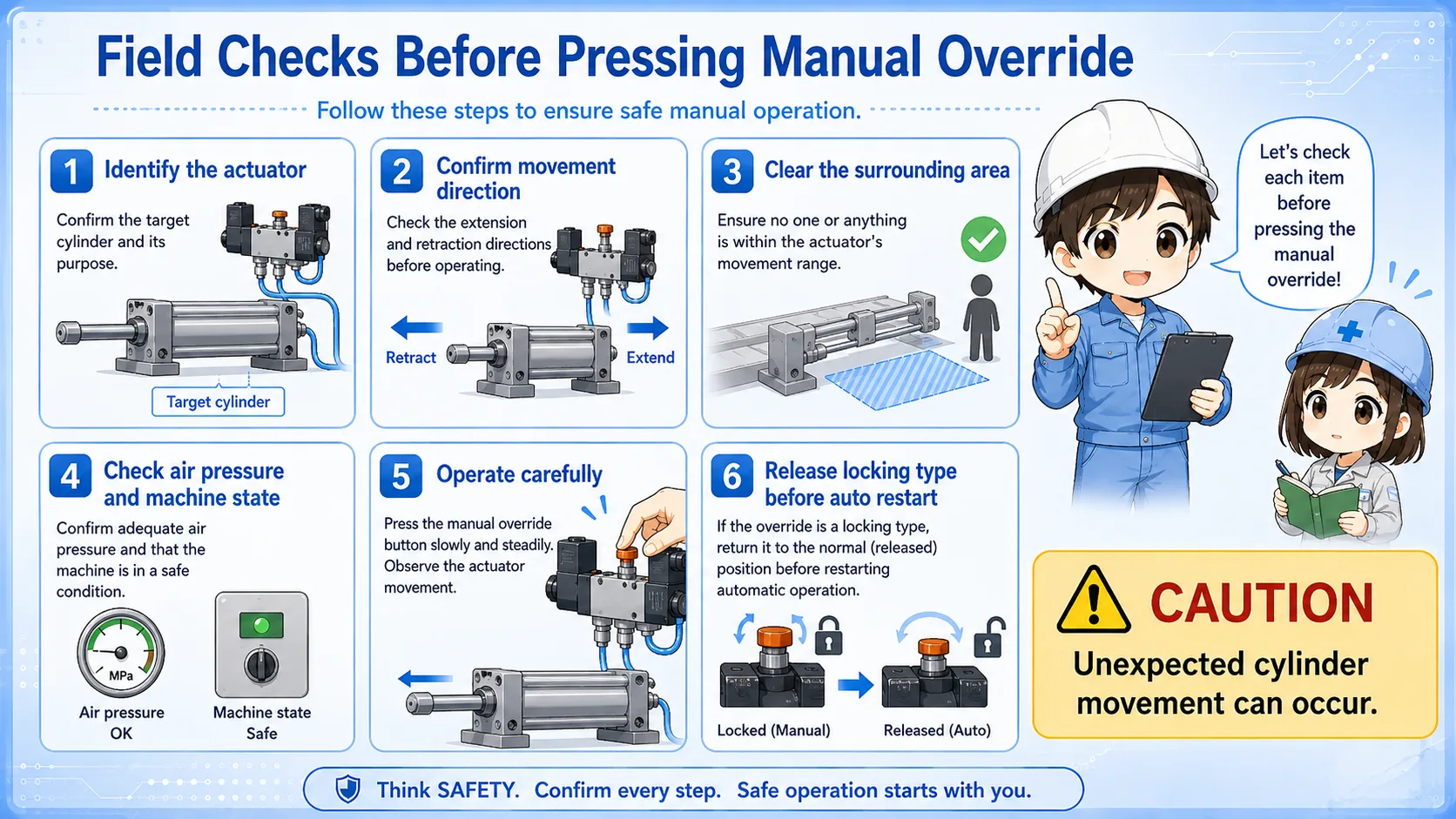
- Identify which cylinder or actuator is connected to the valve.
- Confirm the expected movement direction.
- Check that no person, tool, jig, or workpiece is in the movement area.
- Confirm air pressure and machine state.
- Use momentary operation carefully and watch the actuator.
- If the override is locking type, release it before returning to automatic operation.
Good field habit
After manual operation, always check that the valve has returned to its normal state. A locked manual override left ON can make troubleshooting much harder.
Common troubleshooting points
The table below summarizes how manual override checks are often interpreted in the field.
| Observation | Possible meaning | Practical note |
|---|---|---|
| Cylinder moves manually | The pneumatic side may be capable of moving. | Check PLC output, wiring, coil, and control conditions next. |
| Cylinder does not move manually | Air supply, valve, tubing, cylinder, or mechanism may be the issue. | Check pressure, tubing, load, and mechanical interference. |
| Moves only while held | The override may be momentary type. | Do not assume it will stay operated after release. |
| Machine behaves strangely after test | A locking override may still be ON, or the cylinder position changed. | Return the valve and actuator to the expected safe state. |
A simple way to think about it

The manual override is useful because it lets you check the air side without waiting for a PLC output. But it can also move the machine immediately.

So before pressing it, I should know which cylinder moves, where it moves, and whether the override will return or stay locked.
Summary: manual override is useful, but it is real machine operation
A solenoid valve manual override shifts the valve by hand. It is useful for setup and troubleshooting, especially when separating PLC output issues from pneumatic-side issues.
However, it can move an air cylinder unexpectedly. Before pressing or locking it, confirm the actuator, movement direction, surrounding safety, air pressure, and return state.