What is a wiring duct?
A wiring duct is a slotted channel used to guide and organize wires inside a control panel.
Inside a control panel, many wires connect power supplies, PLCs, relays, terminal blocks, sensors, lamps, switches, and other devices. If every wire runs freely across the panel, the inside becomes difficult to read and maintain.
A wiring duct gives those wires a route. Wires enter and leave through side slots, while the duct cover keeps the wiring path neat. This makes the panel easier to inspect, modify, and troubleshoot.
Think of it as a wire route, not just a cover
The duct is not only there to hide wires. It helps define where wires should pass, where they should exit, and how the panel can be maintained later.
Why control panels use wiring ducts
The main purpose is to make wiring easier to organize, protect, trace, and maintain.
A well-organized control panel is easier to understand. When wires are routed through ducts, the panel builder can keep similar routes together, leave device terminals visible, and avoid a messy crossing of wires.
- Organization: wires can follow planned vertical and horizontal routes.
- Traceability: technicians can follow a wire from a device toward a duct and then toward a terminal area.
- Maintenance: spare space and accessible covers make later changes easier.
- Appearance: the panel looks cleaner and easier to inspect at a glance.
A wiring duct is not just for making the panel look nice. It is part of the wiring route, so it affects how easy the panel is to check later.
So when I look at a panel, I should check whether the duct route makes the wiring easier to follow, not only whether the cover is attached.
Relationship with DIN rails and terminal blocks
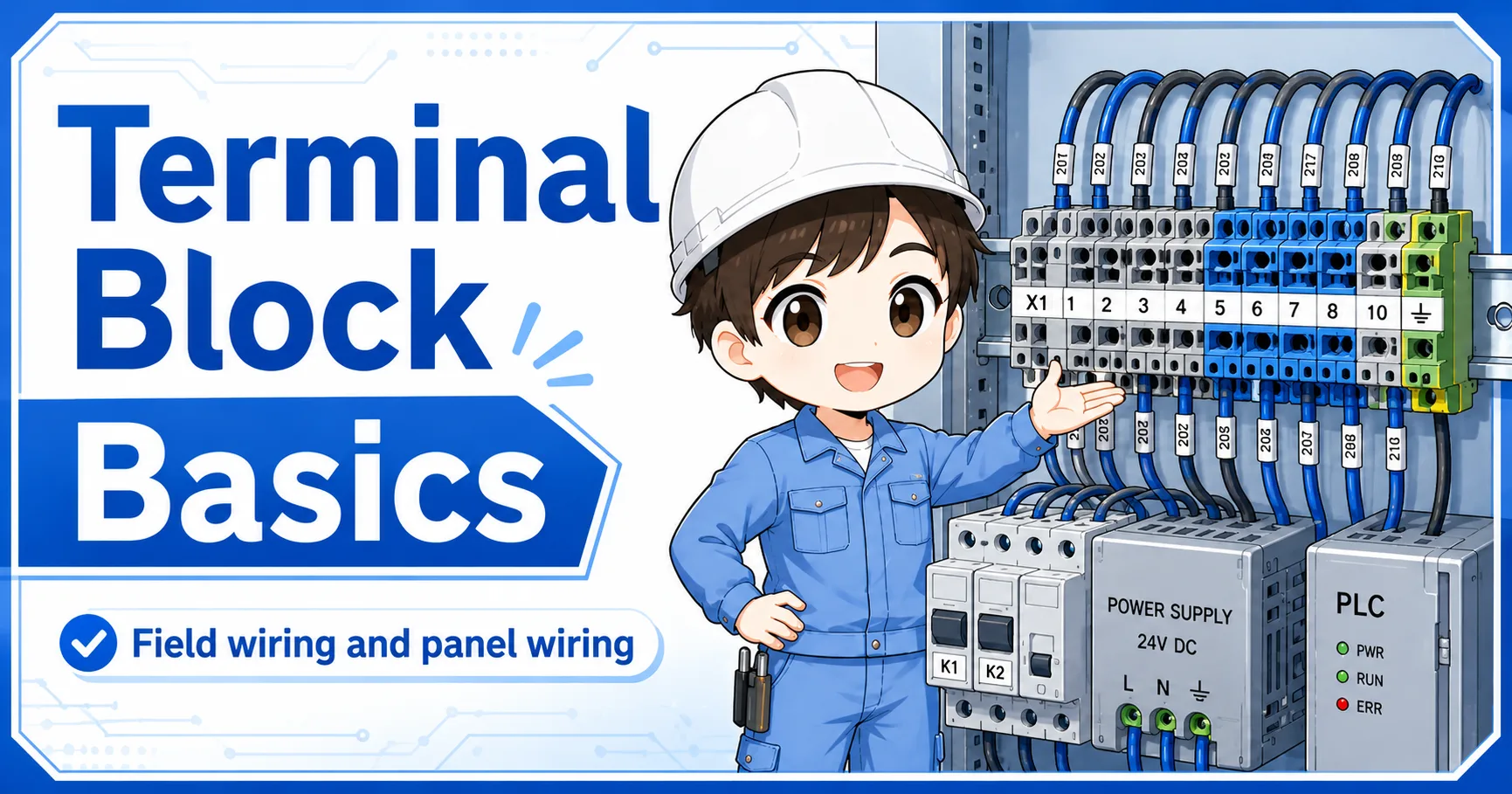
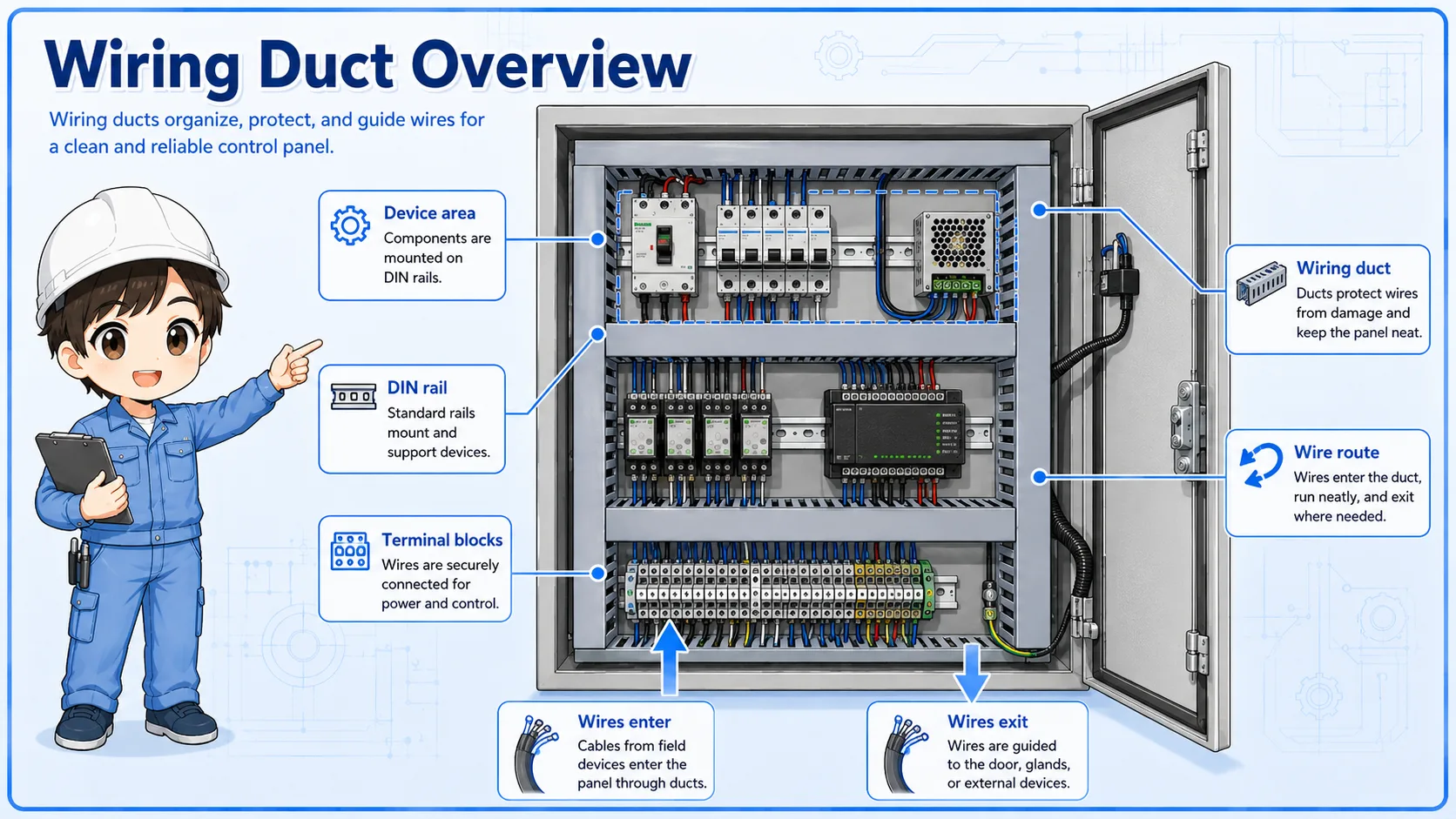
Wiring ducts are usually arranged around devices mounted on DIN rails and around terminal blocks.
In many panels, DIN rails hold devices such as breakers, relays, PLC modules, power supplies, terminal blocks, and interface parts. Wiring ducts are placed beside or between those rails so wires can travel neatly from one area to another.
1. Device area
Devices are mounted on DIN rails or panel plates.
2. Wire route
Wires leave the device and enter the nearest wiring duct.
3. Terminal area
Wires exit near terminal blocks, PLC points, or other devices.
4. Maintenance
Labels, wire numbers, and routes stay easier to inspect.
Layout depends on the panel design
The best duct size and position depend on panel size, wire quantity, device layout, heat, separation rules, and the site standard. Always follow the actual design documents and applicable rules.
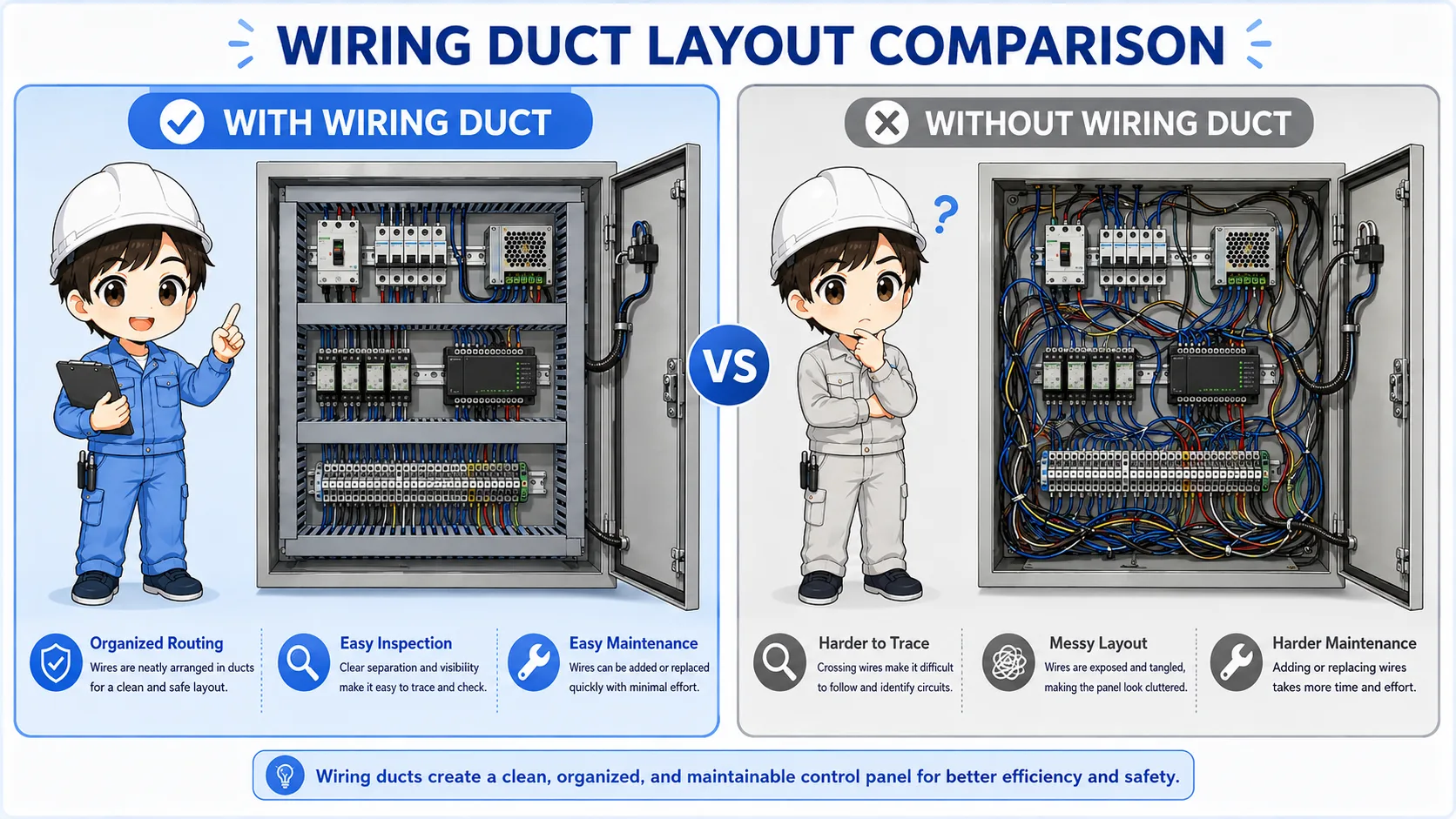
With wiring duct vs without wiring duct
The difference becomes clear when the panel has many wires or future maintenance is expected.
A small simple box may not always need a large duct structure. But in a control panel with many devices and wires, wiring ducts help keep paths consistent and prevent the wiring from becoming difficult to follow.
| Item | With wiring duct | Without wiring duct |
|---|---|---|
| Wire route | Organized along planned paths | Wires may cross freely if not carefully tied |
| Inspection | Cleaner view of devices and terminal areas | Harder to follow wires when the panel grows |
| Modification | Future wires can be added more neatly if spare space exists | New wires may become messy without planned routes |
| Risk point | Overfilling the duct or forcing sharp bends | Loose bundles, crossing wires, poor traceability |
Field checks for wiring ducts
When inspecting a panel, look at the duct cover, wire fill, bends, separation, and access for maintenance.
A wiring duct is a simple part, but it can reveal whether the panel is easy to maintain. Do not only check whether the cover is attached. Check how the wires enter, exit, bend, and leave space for future work.
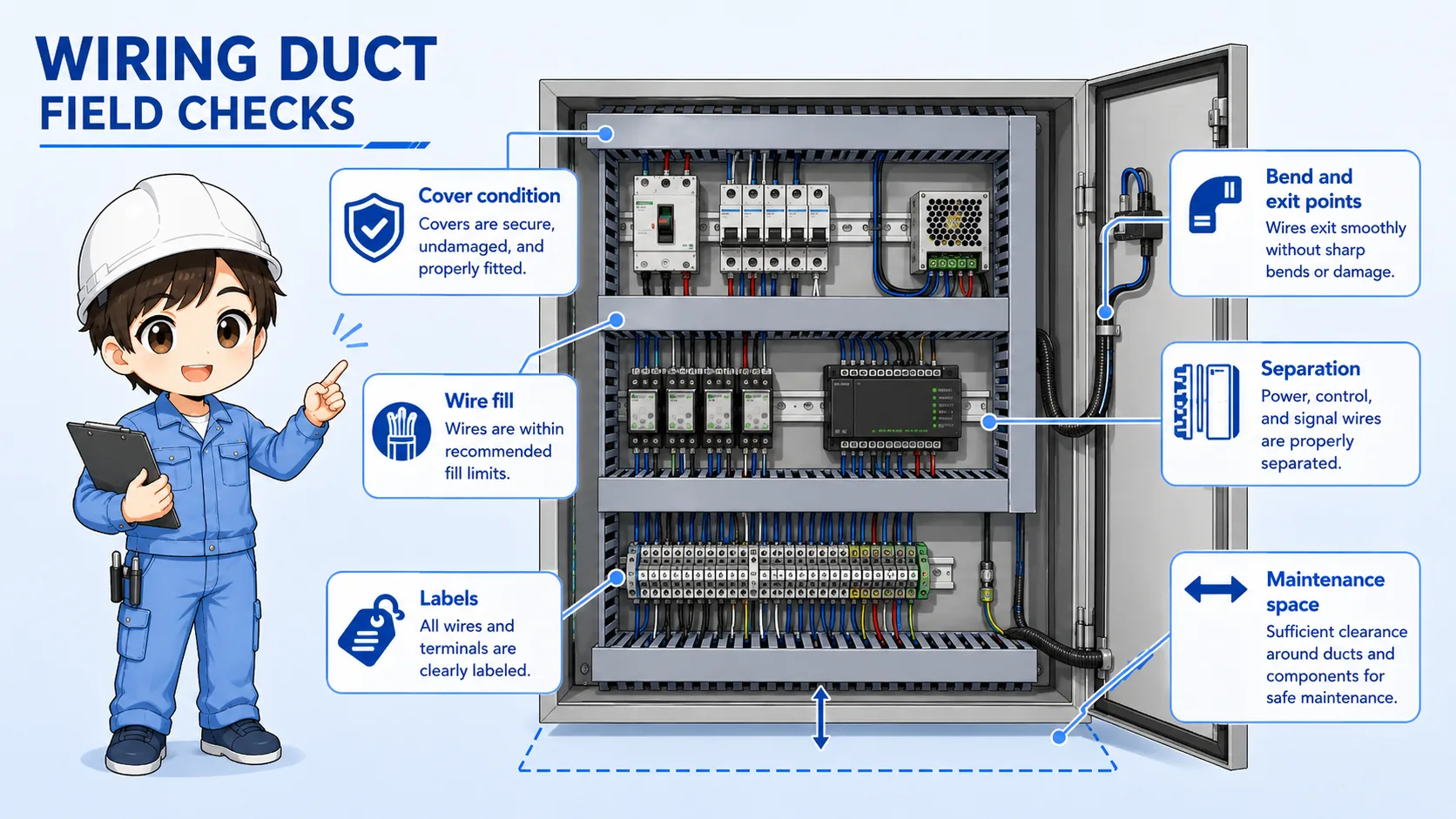
Cover condition
Check that covers are fitted, not broken, and not forcing wires down.
Wire fill and spare space
Overfilled ducts make tracing, cooling, and future modification harder.
Bend and exit points
Avoid sharp bends, pinched wires, and wires pulled tightly through slots.
Separation and labels
Check whether power, control, signal, and communication routes follow the drawing and site rules.
Safety first
Do not touch live parts inside a control panel. Follow site safety rules, isolate power when required, and confirm the actual drawings before changing wire routes.
Common mistakes
Most mistakes come from treating the duct as empty space that can always accept more wires.
- Stuffing too many wires into a duct until the cover is difficult to close.
- Mixing different wiring types without checking the drawing or site standard.
- Letting wires exit at poor positions, creating tight bends or tension.
- Covering labels or wire numbers so future troubleshooting becomes difficult.
- Using the duct to hide messy routing instead of planning the route properly.
Summary: read a wiring duct as a planned wire route
A wiring duct helps organize many wires inside a control panel. It supports cleaner routing around DIN rails, terminal blocks, power supplies, PLCs, relays, and other devices.
When checking a panel, look at more than the duct cover. Check whether the wiring route is easy to follow, whether the duct is overfilled, whether wires are bent too sharply, and whether labels and terminal areas remain easy to inspect.